CEFR Text Level Checker – Test Your English Text

 This free CEFR Text Level Checker helps you estimate how difficult your English text is for learners. Paste any text up to 10,000 words and get an approximate CEFR level from A1 to C2, vocabulary distribution, sentence length, academic style indicators and a list of unknown or advanced words for further study.
CEFR Text Level Calculator
- What this CEFR text checker does
- When and why to use this tool
- How to use the calculator step by step
- CEFR level, score and sentence complexity
- Vocabulary distribution and academic style
- Large CEFR wordlists and coverage
- Words by level (A1–C2) for practice
- Limits of the tool and how to read the results
- FAQ about the CEFR Text Level Checker
What this CEFR text checker does
The CEFR Text Level Checker is an online tool that estimates how difficult an English text is for learners on the CEFR scale from A1 to C2. It does not just guess the level from a few keywords – it combines several signals from your text to build a more realistic profile of its difficulty.
When you paste your text into the calculator, it analyses:
- Vocabulary level – how many words in the text belong to basic A1–A2 lists, intermediate B1–B2 lists, and advanced C1–C2 lists.
- Sentence complexity – average sentence length and the presence of complex connectors such as although, however, in contrast, even though.
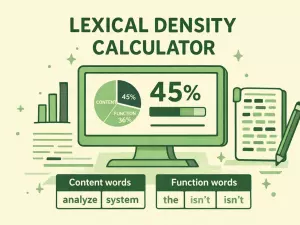
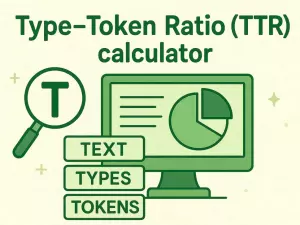
- Lexical density – how many different words you use compared to the total number of words in the text.
- Academic vs general style – whether the text looks more like everyday communication, an essay, or research-style writing.
Based on these indicators, the tool shows:
- an estimated CEFR level (A1, A2, B1, B2, C1 or C2),
- a position on the CEFR scale with a visual indicator,
- a short explanation of why the text looks easier or harder,
- a vocabulary distribution block that summarises how much of the text is basic, intermediate or advanced.
The checker is designed as a support tool for teachers, students and content creators. It helps you quickly understand whether a text is more suitable for elementary learners, intermediate students or advanced readers – and how you might need to adapt it. It is not an official exam and does not replace full language testing, but it gives a clear, data-based snapshot of your text’s difficulty.
When and why to use this tool
The CEFR Text Level Checker is useful whenever you want to know whether an English text is appropriate for a specific learner level. Instead of guessing “this feels like B2”, you get a data-based estimate with clear indicators: vocabulary levels, sentence length and signs of academic style.
For learners
If you study English on your own, it is easy to choose texts that are either too simple or too difficult. This tool helps you:
- check whether a new article, story or blog post matches your current CEFR level;
- see when a text is slightly above your level and can be used for intensive practice;
- compare several texts and pick the one that is challenging but still readable.
For teachers and tutors
Teachers can use the checker to evaluate reading passages, homework texts or exam tasks before giving them to students. It is especially helpful when you adapt authentic texts from the internet and want to avoid huge level jumps.
- Check whether a text really fits “B1 reading practice” or is closer to B2.
- Adjust tasks: easier questions for higher-level texts, or simpler texts for lower groups.
- Track how your materials evolve over time in terms of difficulty.
For content creators and authors
Bloggers, textbook writers and course creators can use the CEFR Text Level Checker to keep their materials consistent. If your course promises B1–B2 content, the tool shows when a lesson suddenly becomes too basic or too advanced.
- Control the overall difficulty of articles, lessons and newsletters.
- Optimise texts for a target audience (for example, “upper-intermediate readers”).
- Quickly test different versions of the same text and see which one better matches the desired level.
In short, use this tool whenever you need a quick, visual and quantitative check of text difficulty on the CEFR scale – before publishing, assigning or reading a text.
How to use the calculator step by step
The CEFR Text Level Checker is built to be simple and fast. You do not need to register, upload files or pass through multiple steps. The full analysis is done directly after you paste your text and click the analyze button.
Step 1 – Paste your text
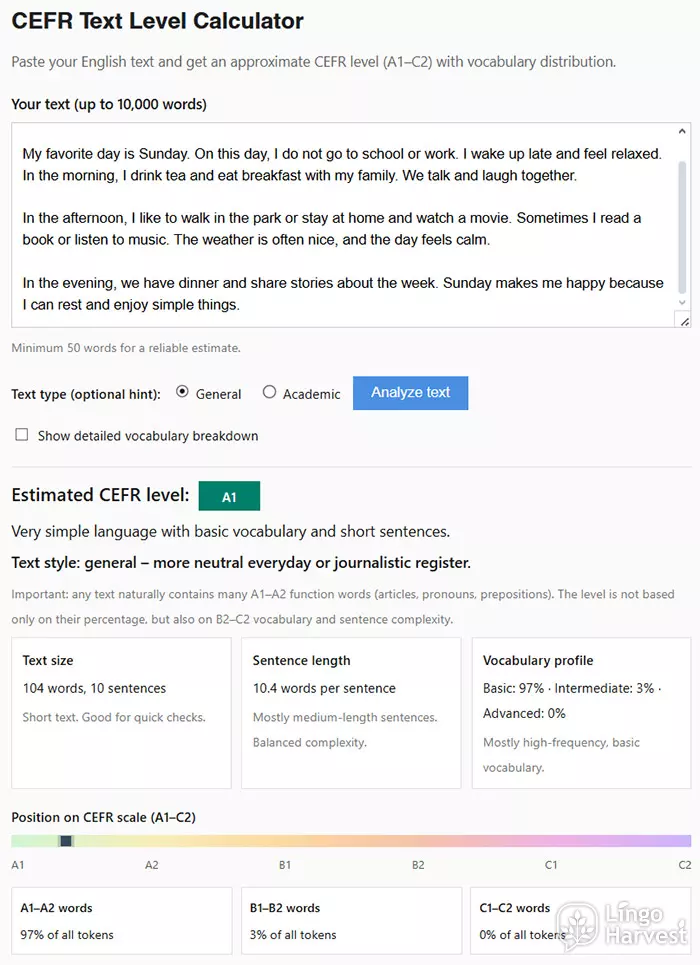
Copy any English text and paste it into the large input field. You can analyse:
- articles and blog posts,
- essays and assignments,
- stories and book fragments,
- emails, reports and academic writing.
The tool supports texts up to 10,000 words. For reliable results, it is recommended to use at least 50 words. Very short texts may lead to unstable estimates.
Step 2 – Choose text type (optional)
Below the text field you can select the text type:
- General – for everyday English, blogs, conversations, fiction.
- Academic – for essays, research papers, formal or philosophical writing.
This setting slightly adapts how the calculator weighs complex structures and advanced vocabulary. If you are not sure, simply leave it on General.
Step 3 – Click “Analyze text”
After clicking the button, the calculator immediately processes your text and displays the results:
- estimated CEFR level from A1 to C2,
- position on the CEFR scale,
- sentence length and structural complexity,
- vocabulary distribution by CEFR groups.
Step 4 – Open the detailed analysis (optional)
You can enable the checkbox for detailed analysis to see additional metrics such as:
- lexical density (types vs tokens),
- average word length,
- complex sentence markers per 100 words,
- general vs academic style classification.
These indicators are especially useful for advanced learners, teachers and researchers who want deeper insight into how a text is constructed.
In most cases, the full workflow takes less than a minute: paste the text, choose the mode if needed, click analyze, and review the results.
CEFR level, score and sentence complexity
After analyzing your text, the calculator assigns it an estimated CEFR level from A1 to C2. This level is not based on a single factor. Instead, it is calculated from a combined score that reflects vocabulary difficulty, sentence structure and the use of complex markers.
How the final CEFR score is formed
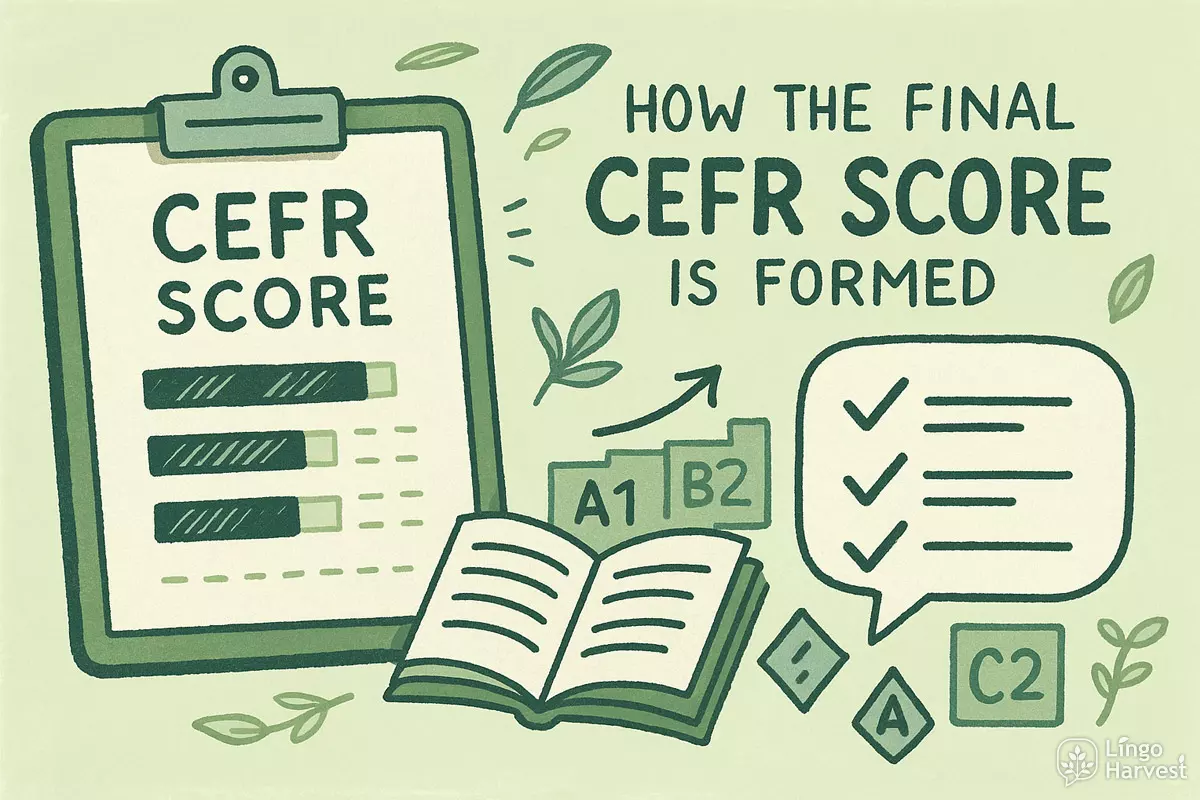
The calculator uses three main components to build the final score:
- Lexical score – based on how much A1–A2, B1–B2 and C1–C2 vocabulary your text contains. Advanced words (C1–C2) have a much stronger influence on the final result.
- Sentence length score – longer sentences usually indicate more complex grammar and a higher reading level.
- Complex marker score – connectors and contrast words such as although, however, whereas, even if increase the complexity value.
These three scores are combined into a single total score from 0 to 100, which is then mapped to a CEFR level.
| Total Score Range | Estimated CEFR Level | Typical Text Characteristics |
|---|---|---|
| 0–19 | A1 | Very short sentences, basic everyday words, simple grammar. |
| 20–34 | A2 | Simple narratives, routine expressions, limited variation. |
| 35–54 | B1 | Clear structure, some longer sentences, basic arguments. |
| 55–69 | B2 | Flexible language use, varied vocabulary, growing complexity. |
| 70–84 | C1 | Advanced vocabulary, dense arguments, abstract ideas. |
| 85–100 | C2 | Highly academic or literary style, very compact and precise language. |
Sentence length and processing difficulty
Average sentence length is one of the strongest signals of reading difficulty. Short sentences are easier to process, while very long sentences increase cognitive load and demand stronger grammatical control.
- Below 10 words – very simple, typical of A1–A2 texts.
- 10–16 words – balanced range, often seen at B1–B2 level.
- 16–23 words – dense structure, common for B2–C1.
- Over 23 words – heavy syntax, typical of C1–C2 and academic writing.
The calculator displays this value directly in the results, together with a short explanation of how demanding the sentence structure of your text is.
Vocabulary distribution and academic style
One of the most important parts of the CEFR Text Level Checker is the analysis of vocabulary distribution and text style. The tool shows not only an overall CEFR level, but also how words from different CEFR bands are spread across your text and whether the writing looks more general or academic.
How vocabulary is grouped
Every recognized word in your text is compared against large CEFR wordlists. As a result, all tokens are automatically classified into three major groups:
- A1–A2 (basic) – core everyday words used in simple communication.
- B1–B2 (intermediate) – functional vocabulary for structured discussion.
- C1–C2 (advanced) – abstract, academic and low-frequency words.
The calculator then shows what percentage of your text belongs to each group. This helps you immediately understand whether a text is built mostly on basic, intermediate or advanced vocabulary.
| Vocabulary Share | What It Usually Means | Typical Use Case |
|---|---|---|
| 70%+ A1–A2 | Very basic vocabulary base | Beginner stories, graded readers, simple instructions |
| 40–60% B1–B2 | Balanced intermediate profile | News articles, blogs, student essays |
| 25%+ C1–C2 | High lexical sophistication | Academic texts, research writing, formal analysis |
General vs academic style detection
In addition to word difficulty, the calculator evaluates whether your text follows a general or academic style. This is based on:
- the proportion of C1–C2 vocabulary,
- sentence length and structural density,
- the frequency of logical and contrast markers such as however, therefore, in contrast, whereas.
As a result, the tool assigns one of the following style labels:
- General – neutral everyday or journalistic writing.
- Academic (D1) – formal argumentative or essay-style text.
- Upper academic (D2) – dense, abstract, research-like language.
This makes it easier to decide not only how difficult a text is, but also what type of language it represents: conversational, educational or academic.
Large CEFR wordlists and coverage
The accuracy of any CEFR text analyzer strongly depends on the quality and size of its underlying word databases. This calculator uses extensive CEFR-based wordlists that cover all major levels from A1 to C2. Each word from your text is checked against these lists in real time.
What these wordlists include
The CEFR wordlists used in this tool are not limited to a few thousand basic items. They are designed to reflect how language is actually used by learners and native speakers across different proficiency stages.
- A1 – fundamental everyday words: people, numbers, food, time, places.
- A2 – routine actions, common adjectives, basic opinions and experiences.
- B1 – narrative language, explanation, cause and effect.
- B2 – discussion, argumentation, abstract everyday topics.
- C1 – low-frequency academic and professional vocabulary.
- C2 – highly specialized, literary and research-level words.
This wide coverage allows the calculator to evaluate not only simple learner texts, but also long articles, essays, reports and research-style writing.
| CEFR Level | Main Vocabulary Focus | Typical Learner Abilities | Common Text Types |
|---|---|---|---|
| A1 | Everyday concrete words | Basic communication, simple needs | Short messages, greetings, simple stories |
| A2 | Routine and personal topics | Describe daily life and experiences | Personal emails, short descriptions |
| B1 | Explanation and narration | Discuss familiar topics with structure | News articles, learner essays |
| B2 | Argumentation and opinion | Express and defend viewpoints | Opinion pieces, reports, interviews |
| C1 | Abstract and academic terms | Handle complex ideas precisely | Academic essays, analytical writing |
| C2 | Highly specialized vocabulary | Near-native precision and nuance | Research papers, advanced literature |
Thanks to this structured database, the calculator can reliably separate basic, intermediate and advanced vocabulary, even in very long texts. This is what makes the CEFR estimate stable across different genres and writing styles.
Words by level (A1–C2) for practice
Under the main results block, the calculator offers a practical way to work with vocabulary from your text. You can see which words in the text belong to each CEFR level and copy them for further study, flashcards or lesson planning.
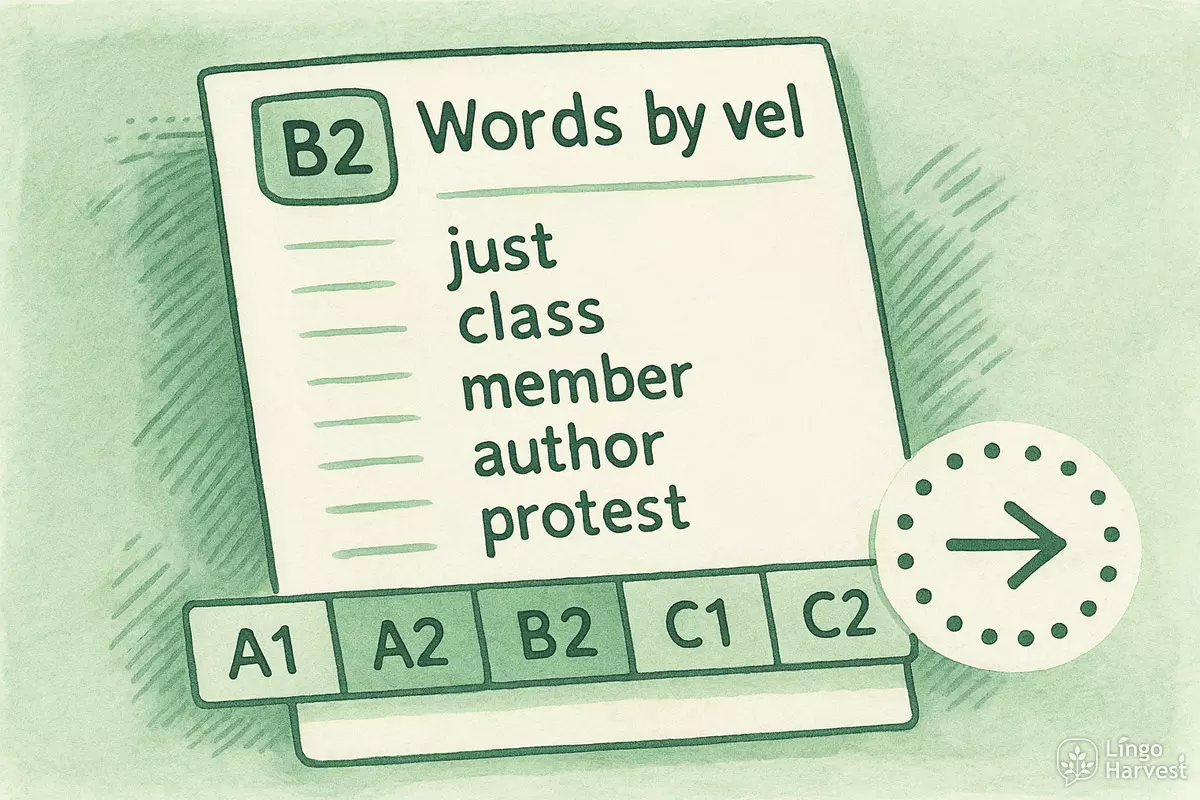
Level buttons A1–C2
Below the analysis results you will find a row of buttons: A1, A2, B1, B2, C1, C2 and an additional list. Each button represents one CEFR band. When you click on a level button:
- the calculator filters the vocabulary extracted from your text,
- shows only the words that belong to the selected level,
- displays them as a simple list, one word per line, ready to copy.
For example, if you click B2, you will see the B2-level words that appeared in your text. This instantly gives you a “study list” built from real context, not from an abstract frequency list.
How learners and teachers can use these lists
These level-based word lists are very flexible. You can:
- copy A1–A2 words to revise basic vocabulary from a text you already understand well,
- take B1–B2 words as a target list for new reading and practice,
- focus on C1–C2 items if you want to expand your advanced or academic vocabulary.
Teachers can quickly extract level-specific vocabulary from any article or story and turn it into:
- classroom word lists and handouts,
- homework for targeted revision,
- digital flashcards or vocabulary quizzes.
Because all words are shown directly in the browser in plain text, you can easily copy them into your favourite tools – spreadsheets, Anki decks, worksheets or online vocabulary trainers. This makes the CEFR Text Level Checker not only a “difficulty meter”, but also a practical vocabulary extraction tool for level-based learning.
Limits of the tool and how to read the results
Although the CEFR Text Level Checker is a powerful and practical instrument, it is still an automatic analysis tool. This means that its results should be understood as an informed estimate, not as an official or absolute judgment of language level.
What the calculator does well
The tool is especially strong at:
- detecting the overall vocabulary difficulty of a text,
- showing how balanced or advanced the word usage is,
- measuring sentence length and structural density,
- highlighting whether a text leans toward a general or academic style.
For long texts with several paragraphs, the estimate is usually very stable and reliable, because the analysis averages across many sentences and many vocabulary items.
What the calculator cannot fully capture
Like any automated system, it has some natural limitations:
- It cannot fully understand meaning, irony or cultural references.
- It does not evaluate how well a learner personally understands the topic.
- Very short texts (close to 50 words) may lead to fluctuating results.
- Proper names, brand names and rare terms may appear as off-list vocabulary.
This is why the tool always includes short explanatory notes and a disclaimer. These help you interpret the numbers correctly instead of treating them as a strict pass–fail test.
How to read your CEFR result correctly
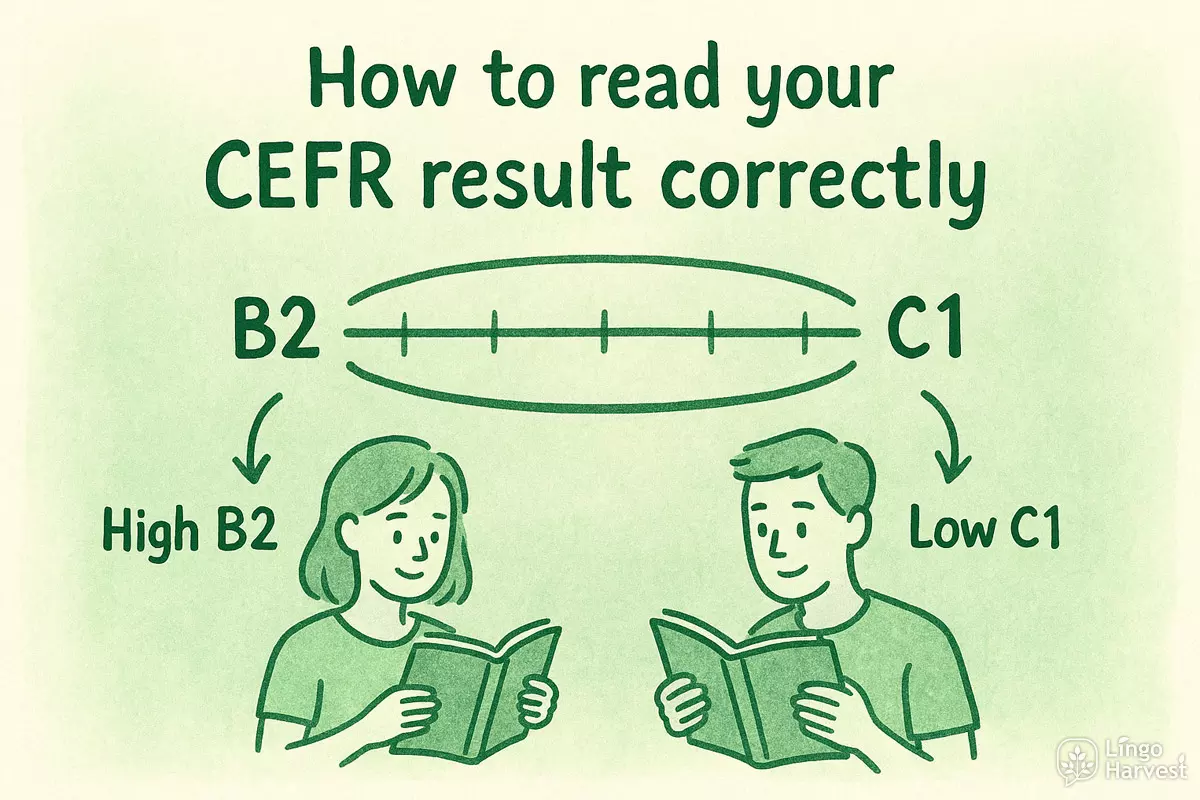
When you see a result such as B2 or C1, it is best to think of it as a range, not as a single fixed point. For example:
- A “high B2” text may already be suitable for some C1 learners.
- A “low C1” text may still feel manageable for strong B2 readers.
The visual scale, vocabulary distribution and sentence length together give a much clearer picture than the CEFR label alone. Used this way, the calculator becomes a helpful guide for selecting, adapting and studying English texts at the right level.
FAQ about the CEFR Text Level Checker
1. Is this CEFR Text Level Checker really free?
Yes, the tool is completely free to use. You can paste and analyze English texts up to 10,000 words without registration, payments or hidden limits. This makes it suitable for regular study, teaching and content creation.
2. How accurate is the CEFR result?
The result is an approximate estimate based on vocabulary level, sentence structure and complexity markers. For long and well-structured texts, the estimate is usually very close to real exam-based CEFR ranges. For very short texts, the level may fluctuate more.
3. Can I use this tool for academic writing?
Yes. You can switch to Academic mode to get a more suitable evaluation for essays, research papers and formal texts. The tool will put more weight on complex structures and C1–C2 vocabulary.
4. Does the calculator work with any type of English text?
It works with most types of English content: articles, essays, stories, reports, blog posts, emails and learning materials. However, highly technical texts with many formulas or code fragments may slightly distort the results.
5. Why do some words appear in the level lists even if I think they are easier or harder?
CEFR word classification is based on large learning corpora and frequency studies. Some words may feel easier or harder depending on your personal experience, profession or learning background. The level lists reflect typical learner usage, not individual perception.
6. Can I save or export the results?
You can freely copy all results and word lists directly from the page and paste them into your own documents, spreadsheets, flashcard apps or learning systems. No account is required.
7. Does this tool replace official CEFR exams?
No. The calculator is a support and diagnostic tool. It does not replace certified exams such as IELTS, Cambridge or TOEFL. It is designed to help you quickly evaluate text difficulty and plan your learning more effectively.
If you use the CEFR Text Level Checker regularly, it becomes a powerful companion for reading practice, lesson planning and vocabulary development across all proficiency levels.