Sentence Length & Clarity Analyzer – Improve English Writing

 This calculator analyzes your English text, measures sentence length, detects clarity issues, and highlights long sentences. Paste your text to get instant statistics, readability insights, and a detailed breakdown for improving writing flow.
- What this Sentence Length & Clarity Analyzer does
- How the calculator analyzes your text
- Input limits and recommended text size
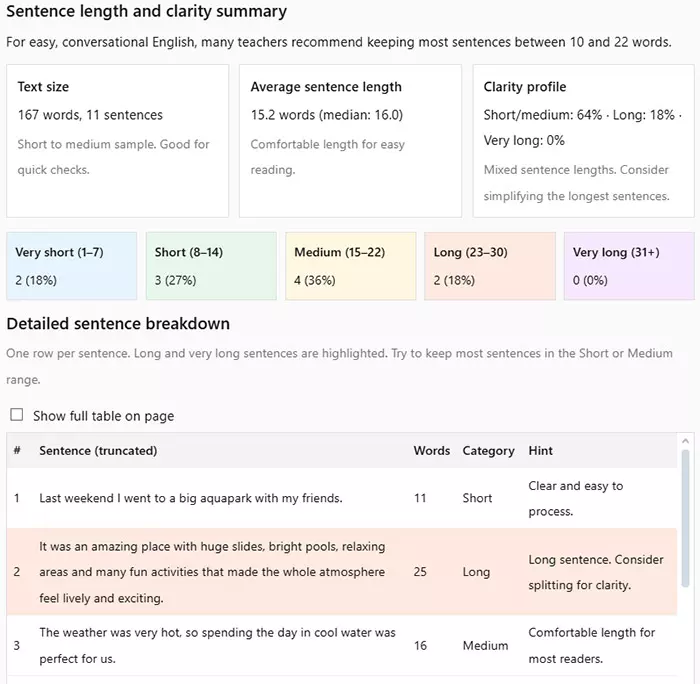
- Main stats: text size, averages, clarity profile
- Sentence categories: very short to very long
- Tips to improve sentence clarity and flow
- Example analysis of a sample text
- FAQ: common questions about this tool
What this Sentence Length & Clarity Analyzer does
The Sentence Length & Clarity Analyzer helps you check how easy your English text is to read. It measures sentence length, shows the balance between short, medium, and long sentences, and highlights parts that may be hard to follow.
Instead of checking grammar only, this tool focuses on sentence length and overall clarity. You can quickly see if your writing is too choppy, too dense, or comfortable for most readers. This is useful for learners, teachers, bloggers, content writers, and anyone who wants smoother English texts.
What you can see in one quick scan
When you paste your text into the Sentence Length & Clarity Analyzer and click the button, you get:
- Total text size in words and sentences.
- Average sentence length and median sentence length.
- A clarity profile that shows how many sentences are short, medium, long, and very long.
- A breakdown by sentence categories (very short, short, medium, long, very long).
- An optional table with one row per sentence, including a hint for better clarity.
This makes the analyzer a practical tool for improving readability, adjusting sentence length, and keeping your English text clear and focused.
How this tool is different from typical checkers
Many tools focus only on grammar or spelling. This calculator looks at the structure of your sentences and gives you a quick visual picture of your writing style. It is especially helpful when you want to:
- Reduce very long sentences that are hard to process.
- Avoid overusing very short sentences that make the text sound robotic.
- Find a natural mix of sentence lengths for better flow.
The table below summarizes what the Sentence Length & Clarity Analyzer focuses on compared to other common tools:
| Tool type | Main focus | What you get |
|---|---|---|
| Grammar checker | Spelling, grammar, punctuation | Corrected errors and basic suggestions, but little control over sentence length or rhythm. |
| Readability formula | Score based on length and vocabulary | Single readability score, often without detailed sentence-by-sentence feedback. |
| Sentence Length & Clarity Analyzer | Sentence length, clarity profile | Word and sentence counts, clear distribution of sentence types, and hints for improving clarity. |
Thanks to this focus on sentence length and clarity, you can use the analyzer alongside your grammar checker to get a more complete view of your English writing.
How the calculator analyzes your text
The Sentence Length & Clarity Analyzer follows a clear sequence of steps. You paste your English text, click the button, and the calculator turns your writing into numbers and simple visual feedback. This helps you see how sentence length and clarity are connected in your text.
Step 1: You paste your English text
At the top of the tool, there is a large text box where you paste or type your English text. The calculator is designed for up to 10,000 words, which is enough for long articles, essays, and reports. For a reliable estimate, it needs at least 50 words and 3 sentences.
- If the text is too short, the tool shows a warning and explains what is missing.
- If the text is too long, it will ask you to shorten it below the limit.
- If there is no real English text, the calculator reminds you to paste proper input.
This way, you do not waste time looking at unreliable statistics. The calculator clearly tells you when your sample is ready for proper analysis.
Step 2: The tool splits your text into sentences
When you click “Analyze sentences”, the calculator cleans line breaks and extra spaces, then looks for sentence endings such as ., ? and !. Based on these marks, it creates a list of sentences and removes any empty pieces.
For each sentence, the tool looks for English words (letters A–Z and apostrophes). This helps it ignore numbers, extra symbols, or broken fragments that do not behave like real sentences. If a sentence has no valid words, it is not included in the statistics.
Step 3: The calculator counts words in each sentence
After splitting into sentences, the analyzer counts how many words each sentence contains. These word counts are used to:
- Calculate the total number of words in the text.
- Measure sentence length one by one.
- Compute average sentence length and median.
- Assign each sentence to a length category (very short, short, medium, long, very long).
Because the calculator works sentence by sentence, it can later highlight long and very long sentences in a table, giving you concrete targets for editing.
Step 4: The tool builds your clarity profile
Once all sentences are counted, the analyzer:
- Computes average sentence length (total words ÷ total sentences).
- Finds the median length, which shows a “typical” sentence in your text.
- Counts how many sentences fall into each category (very short, short, medium, long, very long).
- Turns these counts into simple percentages for quick comparison.
The calculator then creates a clarity profile that shows how many sentences are short or medium compared to long or very long ones. This profile makes it easier to judge whether your English writing feels light and clear or dense and demanding.
Step 5: Optional detailed breakdown in a table
If you keep the “Show detailed sentence breakdown” option turned on, the tool displays a table with one row per sentence. Long and very long sentences are highlighted, and each row includes a short hint about clarity. This gives you a direct editing checklist: you can see where to simplify, split, or rewrite.
The combination of quick stats and optional detailed view makes the Sentence Length & Clarity Analyzer a practical calculator for improving both structure and
Input limits and recommended text size
The Sentence Length & Clarity Analyzer is designed to work with a wide range of texts — from short paragraphs to long articles and essays. However, to ensure accurate and meaningful results, the calculator uses several input rules and quality checks.
These limits help avoid distorted statistics and ensure that the clarity profile truly reflects the structure of your writing.
Minimum requirements for reliable analysis
To calculate sentence length and clarity properly, the tool needs enough linguistic material. That is why it checks your input before generating results.
- Minimum 50 words — anything shorter may lead to unstable averages and poor clarity estimates.
- Minimum 3 sentences — fewer sentences make the clarity profile unreliable.
- Only English text is accepted — the analyzer ignores symbols that do not form real English words.
If your text does not meet these conditions, the calculator shows a clear message explaining what needs to be added or corrected.
Maximum text size and processing limits
The analyzer supports long content, including chapters, detailed reports, and long-form blog posts. To maintain smooth performance, the tool applies the following limits:
- Maximum: 10,000 words in a single input.
- Texts longer than the limit return a warning with your actual word count.
- Very large inputs are blocked to prevent slowdowns and inaccurate calculations.
These boundaries ensure that the calculator remains fast, accurate, and responsive even when working with large volumes of text.
Recommended text size for best readability insights
Although the calculator accepts up to 10,000 words, the most effective text size for clarity analysis is usually:
- 400–2,500 words for articles, essays, and reports.
- 100–300 words for paragraphs, introductions, and learning materials.
- 60–80 words for checking short examples or rewriting exercises.
Texts in this range provide a stable clarity profile while allowing the analyzer to detect patterns in sentence structure.
Below is a summary table showing how different text sizes affect the quality of analysis:
| Text length | Quality of clarity results | Recommended use |
|---|---|---|
| 50–120 words | Basic, limited accuracy | Short examples, rewriting tasks |
| 120–400 words | Good accuracy | Email drafts, short essays, learning tasks |
| 400–2,500 words | High accuracy, stable clarity profile | Articles, reports, academic writing |
| 2,500–10,000 words | Good but requires interpretation | Long chapters, detailed analysis |
This table helps you decide how much text to input depending on what you want to evaluate. The clearer the structure of your sample, the more accurate the tool's sentence length and clarity insights will be.
Main stats: text size, averages, clarity profile
After you click the Analyze button, the Sentence Length & Clarity Analyzer instantly generates a set of core statistics. These stats help you understand the structure of your writing and see how balanced or uneven your sentence patterns are.
Each metric has its own purpose. Together, they form a full picture of how readable and well-structured your English text is.
1. Total text size (words and sentences)
The first block shows how many words and sentences your text contains. This metric is essential because the accuracy of all readability and clarity results depends on the amount of available text.
- Under 200 words: small sample, basic analysis.
- 200–1,000 words: balanced sample, reliable statistics.
- 1,000+ words: long sample, strong clarity profile based on many sentences.
If your text is very short, the calculator notes this and reminds you that long-term sentence patterns may not be fully visible.
2. Average and median sentence length
The analyzer calculates both average and median sentence length because these two numbers show different aspects of your writing.
- Average sentence length: total words divided by total sentences.
- Median sentence length: the “middle” sentence when all lengths are sorted.
These two values together help detect issues such as:
- Sentence length imbalance caused by a few very long sentences.
- Overuse of extremely short sentences that break the flow.
- A mismatch between natural reading rhythm and your writing style.
If the average is much higher than the median, this usually means your text contains several very long sentences that may reduce clarity.
3. Clarity profile (short/medium vs. long/very long)
The clarity profile is one of the most useful features of this calculator. It groups your sentences into three large clusters:
- Short + Medium — easy to read, natural flow.
- Long — may require more focus from the reader.
- Very long — often difficult to follow, especially for learners.
The tool then shows the percentage of each group in your text. This gives you a fast, intuitive understanding of your overall clarity.
A well-balanced text usually has a strong core of short and medium sentences, supported by a smaller number of long ones. Excessively long sentences can make paragraphs feel heavy, while too many short ones can make writing sound mechanical.
4. Sentence distribution by category
The calculator also displays a colorful block showing how many sentences fall into each of the five detailed categories:
- Very short (1–7 words)
- Short (8–14 words)
- Medium (15–22 words)
- Long (23–30 words)
- Very long (31+ words)
This distribution helps you understand the rhythm of your text at a deeper level. Some writers naturally prefer short sentences, while others rely on longer ones. Seeing the full picture helps you adjust your writing style for clarity, flow, and readability.
Below is a comparison table showing how different distributions typically affect clarity:
| Sentence length distribution | Clarity level | How the text feels |
|---|---|---|
| Mostly short + medium (70%+) | High clarity | Light, easy to read, natural flow |
| Balanced mix (40–60% medium) | Good clarity | Readable but may include a few dense parts |
| Many long sentences (35%+) | Low clarity | Heavy, requires more effort to read |
| Frequent very long sentences (25%+) | Very low clarity | Hard to follow, risk of reader fatigue |
These statistics together give you a clear starting point for editing your text. The analyzer reveals patterns that are often invisible when reading your own writing, making it easier to improve structure, clarity, and reader experience.
Sentence categories: very short to very long
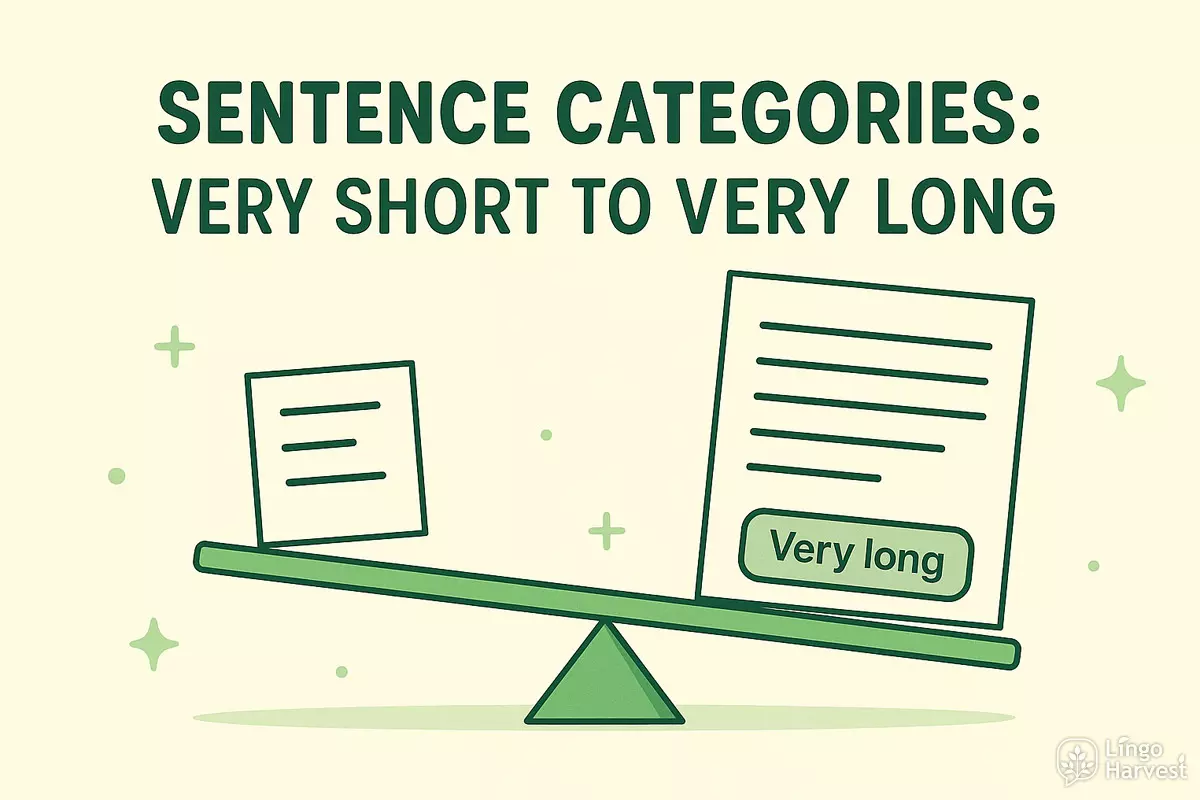
To help you understand the structure of your writing, the Sentence Length & Clarity Analyzer assigns every sentence to one of five categories. These categories reflect how your text flows and how easy it is for readers to follow your ideas.
The clearer your category distribution, the easier it becomes to adjust your writing style. Each category has its own strengths and weaknesses, and a balanced text usually uses several of them in combination.
Very short sentences (1–7 words)
Very short sentences create sharp, quick effects. They are useful when you want emphasis or emotional impact. However, using too many can make your writing feel abrupt, incomplete, or overly simple.
- Strengths: strong emphasis, punchy tone.
- Weaknesses: can feel choppy or child-like when overused.
Short sentences (8–14 words)
Short sentences are generally clear, easy to read, and suitable for learners and general-audience texts. They help maintain a comfortable reading rhythm and prevent your writing from becoming too dense.
- Strengths: high readability, smooth flow.
- Weaknesses: too many can make the text predictable or monotone.
Medium sentences (15–22 words)
Medium-length sentences are considered the “sweet spot” for most English writing. They provide enough space for detail without overwhelming the reader. This category often forms the backbone of clear, confident text.
- Strengths: balanced structure, natural flow, good clarity.
- Weaknesses: almost none — unless the text contains only medium sentences and lacks variation.
Long sentences (23–30 words)
Long sentences can sound professional and detailed, especially in academic or analytical writing. However, they require more attention from the reader, and mistakes in structure become more noticeable.
- Strengths: useful for complex ideas and transitions.
- Weaknesses: risk of losing clarity if the sentence is not well-organized.
Very long sentences (31+ words)
Very long sentences can carry a lot of information, but they are also the most difficult to read. This is the category the analyzer highlights most clearly, because these sentences often reduce readability and clarity.
- Strengths: detailed explanation when structured perfectly.
- Weaknesses: easily confusing, heavy, and hard to follow for most readers.
To help you see the differences at a glance, here is a table comparing all five categories:
| Category | Word range | Main characteristics | Best used for |
|---|---|---|---|
| Very short | 1–7 words | Fast, sharp, high emphasis | Strong points, emotional contrast |
| Short | 8–14 words | Clear, simple, easy to read | General readers, introductions |
| Medium | 15–22 words | Balanced, natural, most readable | Main ideas, core paragraphs |
| Long | 23–30 words | Detailed, structured, formal | Explanations, academic contexts |
| Very long | 31+ words | Complex, heavy, dense | Rare use; only when necessary |
Understanding these categories makes your editing process easier. Instead of trying to “fix everything,” you can quickly spot problematic areas — usually long and very long sentences — and focus your attention where clarity improves the most.
Tips to improve sentence clarity and flow
Clear writing is not only about avoiding mistakes — it is about creating a logical, smooth sequence of ideas. The Sentence Length & Clarity Analyzer shows where your text becomes heavy or confusing, and the tips below help you correct those weak spots effectively.
1. Break long sentences into two or more parts
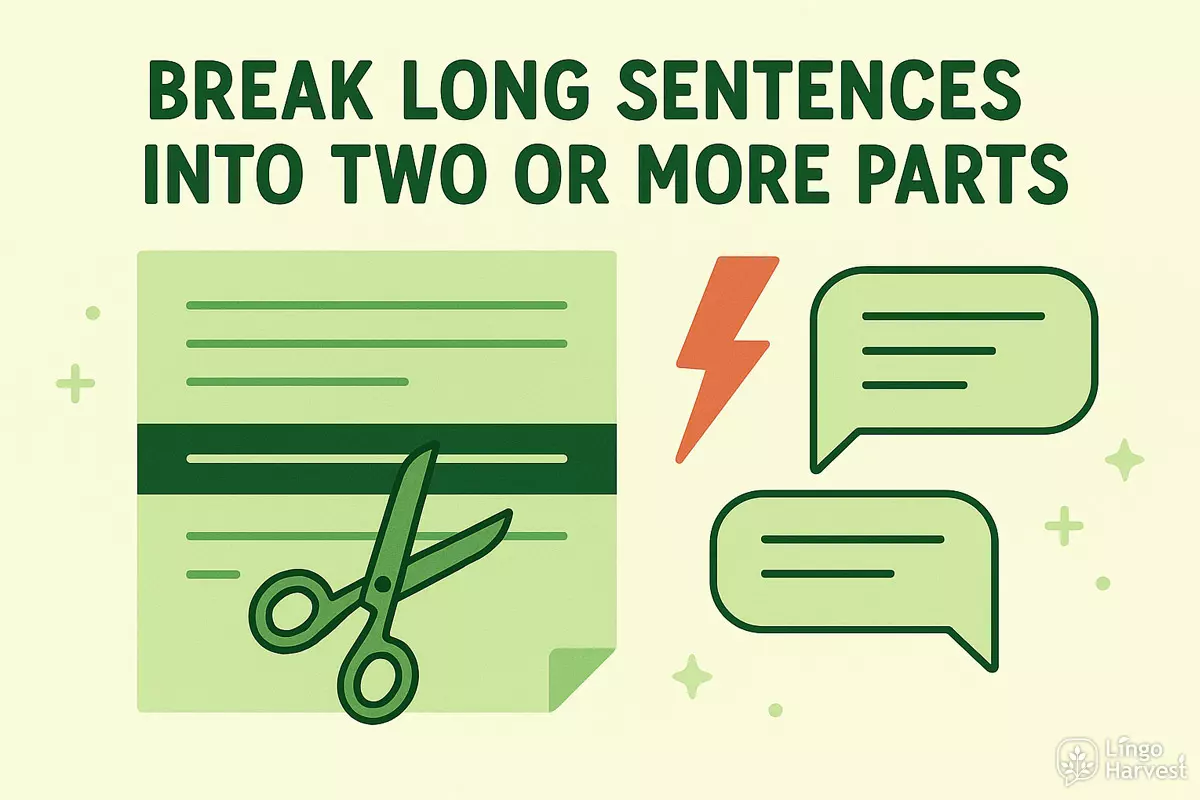
If the analyzer highlights many long or very long sentences, this usually means the reader must work too hard to follow your ideas. A practical way to improve clarity is to split such sentences into smaller, more digestible pieces.
- Find a point where the idea naturally shifts.
- Move secondary details into a new sentence.
- Use connectors like however, therefore, in addition when helpful.
Splitting dense sentences instantly raises readability and reduces the cognitive load for your audience.
2. Use medium-length sentences as the foundation
Medium-length sentences (15–22 words) create the most natural rhythm for English readers. They carry enough detail but remain easy to follow. Aim for a healthy proportion of these sentences in each paragraph.
- Start with a medium sentence to introduce an idea.
- Follow with one or two short sentences for impact.
- Add a longer sentence only when expressing a complex point.
This balance creates a readable, professional tone without sounding mechanical.
3. Vary your sentence length intentionally
Even the clearest text becomes monotonous when every sentence has the same length. Variation keeps readers engaged and helps emphasize key points.
- Use a short sentence to highlight an important idea.
- Use a medium sentence to explain it.
- Use a long sentence only if the thought truly requires it.
Intentional variety creates a natural, dynamic reading flow.
4. Remove unnecessary words and fillers
Many long sentences become clear once you remove superfluous words. Common fillers include: actually, basically, in order to, really, very, and similar expressions.
- Look for repetition of the same idea.
- Delete phrases that do not add meaning.
- Prefer precise verbs over vague descriptions.
By tightening your wording, you reduce sentence length naturally — without losing meaning.
5. Keep related ideas together and separate unrelated ones
Clarity often improves when ideas are grouped logically. If a long sentence feels confusing, check whether you mixed unrelated thoughts.
- Each sentence should express one main idea.
- Support it with one or two details — no more.
- If a detail feels distant, move it into its own sentence.
This prevents sentences from becoming overloaded and helps your paragraph structure stay clean.
6. Read your text out loud
Reading aloud is a powerful clarity test. If you run out of breath, stumble, or need to restart, the sentence is likely too long or too complex. The analyzer shows this mathematically, but your own ear can confirm it.
Using these techniques together ensures that your sentences are clear, balanced, and pleasant to read. The analyzer highlights where to begin, and these tips guide you through the improvement process step by step.
Example analysis of a sample text
To demonstrate how the Sentence Length & Clarity Analyzer works in practice, let’s look at a short sample paragraph and examine the results it produces. This helps you understand what each part of the output means and how to interpret your own clarity profile.
Sample text
Below is a simple paragraph written in a natural, conversational style:
"Learning to write clearly takes practice and attention. Many people focus on grammar, but they forget that sentence structure is just as important. If your sentences are too long, readers may lose track of the main idea. However, if every sentence is extremely short, the text can sound unnatural or robotic. The key is to keep a balance and vary your sentence length intentionally."
How the analyzer processes this text
After pasting the paragraph into the calculator, the tool performs its normal steps: splitting sentences, counting words, grouping them into categories, and calculating averages.
- Total: 74 words
- Sentences: 5
- Average sentence length: 14.8 words
- Median sentence length: 14 words
These numbers suggest that the text uses relatively short and balanced sentences suitable for general readers.
Sentence category breakdown
Here is how the analyzer assigns each sentence to a category based on its length:
| Sentence | Words | Category | Clarity hint |
|---|---|---|---|
| Learning to write clearly takes practice and attention. | 9 | Short | Clear and easy to process. |
| Many people focus on grammar, but they forget that sentence structure is just as important. | 19 | Medium | Comfortable length for most readers. |
| If your sentences are too long, readers may lose track of the main idea. | 17 | Medium | Clear, balanced structure. |
| However, if every sentence is extremely short, the text can sound unnatural or robotic. | 20 | Medium | Good clarity but avoid overusing very short sentences. |
| The key is to keep a balance and vary your sentence length intentionally. | 17 | Medium | Strong main idea with good readability. |
Most of the sentences fall into the medium category, which creates a steady rhythm. Only one sentence is short, and none are long or very long, meaning the text is easy to read and flows smoothly.
Interpreting the output
If this were your text, the clarity profile would show a strong percentage of short + medium sentences. This is ideal for general readers, online content, and learning materials.
If the analyzer had detected long or very long sentences, it would highlight them for you and include specific hints on how to simplify or split them. This example demonstrates how you can use the tool not only to measure clarity but also to guide your editing decisions.
FAQ: common questions about this tool
This section answers the most common questions about the Sentence Length & Clarity Analyzer. If you're using the tool for the first time or want to understand how its results work, these explanations will help you get the most out of it.
1. Does the analyzer check grammar?
No. The calculator focuses on sentence length, clarity, and readability patterns. It does not check grammar, spelling, or punctuation. You can use it alongside a grammar checker for a complete writing analysis.
2. Can I analyze texts longer than 10,000 words?
The tool is optimized for a maximum of 10,000 words. If you paste a longer text, the analyzer will show a warning with your word count and ask you to shorten the input. This limit ensures accuracy and fast performance.
3. My text is short. Why does the calculator show a warning?
For precise clarity analysis, the tool requires:
- At least 50 words
- At least 3 sentences
Anything shorter than that cannot provide stable averages or meaningful clarity indicators. This is why the tool recommends adding more text before generating results.
4. Why is median sentence length included?
The median shows the “middle” sentence length, which is useful when your text contains a few unusually long sentences. A high average and low median often mean that several very long sentences are distorting the general balance.
This makes the median an important indicator for detecting hidden clarity problems.
5. How are sentences counted?
The analyzer looks for natural sentence boundaries: ., ?, !, and splits the text accordingly. It also removes empty fragments and counts only sentences that contain real English words. This keeps the analysis consistent and avoids counting broken pieces of text.
6. What should my clarity profile ideally look like?
There is no “perfect” distribution, but most clear texts share similar patterns:
- A strong base of short and medium sentences.
- A smaller proportion of long sentences.
- Occasional very long sentences — only when absolutely necessary.
If more than 30–35% of your sentences are long or very long, the text may begin to feel heavy and challenging.
7. Why do some sentences get highlighted in the table?
The tool highlights long and very long sentences because these typically reduce clarity the most. The highlight draws your attention to sentences that may need restructuring, splitting, or simplification.
8. Does the tool work with lists, bullet points, and dialogue?
Yes, as long as the text contains recognizable English words. However, structured formats (like bullet lists or dialogue lines) sometimes produce shorter sentences because they are naturally fragmentary. You should interpret such results within context.
9. Will this analyzer improve my writing automatically?
The tool does not rewrite your text for you. Instead, it provides data and clear patterns that show where your writing may need adjustments. By combining these insights with good editing habits, you can improve clarity quickly and consistently.
If you need help rewriting sentences, simplifying complex structures, or improving clarity in a specific paragraph, you can paste it into the tool and then request suggestions based on the output.