Semester & Year Grade Calculator – Weighted Average by Credits

 The Semester & Year Grade Calculator helps you calculate your overall grade using a weighted average system. Add completed and remaining courses, enter grades as percentages, and assign credits or weights to each item. The tool updates results automatically and lets you switch between predicting your final grade or calculating the average you need on remaining work to reach a target. This makes it easier to plan coursework, track progress, and understand how each subject impacts your final result.
| Name (optional) | Grade (%) | Credits / Weight | Remove |
|---|
| Name (optional) | Expected grade (%) | Credits / Weight | Remove |
|---|
What this calculator does
This calculator helps you calculate a semester or yearly grade using a weighted average. It is designed for situations where each course, subject, or category has a different importance based on credits or weights.
Instead of averaging grades equally, the calculator multiplies each grade by its credit value and then divides the total points by the total credits. This reflects how academic grading usually works in schools, colleges, and universities.
You can use the calculator in two main scenarios:
- Estimate your final grade based on completed and planned courses.
- Find the required average you need on remaining work to reach a target grade.
| Use case | What the calculator shows |
|---|---|
| Semester planning | How current and future courses affect the final result |
| Yearly overview | Total weighted grade across all subjects |
| Target setting | Required average for remaining courses |
Grades are entered as percentages, and credits or weights can represent credit hours, ECTS points, or custom category weights used by your institution.
How to use it
Using the calculator is straightforward and does not require manual formulas. You only need to enter grades and credits, and results are calculated automatically.
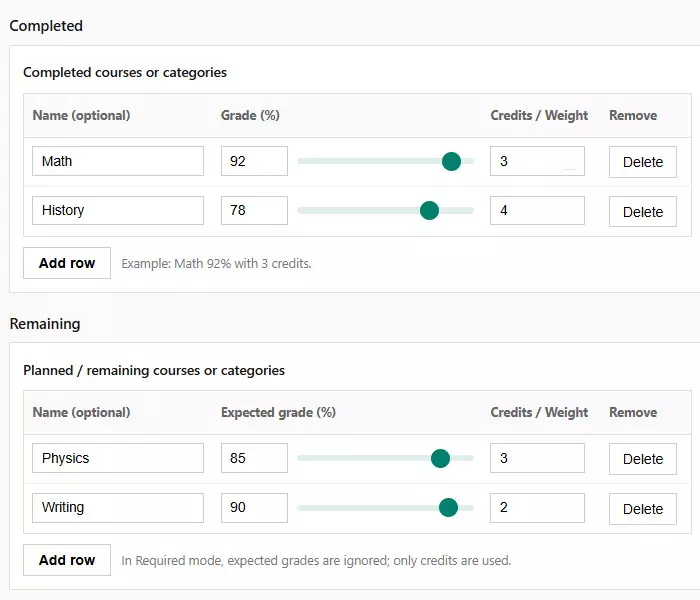
- Add rows for completed courses and enter their grades and credits.
- Add rows for remaining courses you still plan to complete.
- Choose the calculation mode depending on your goal.
- Adjust grades using number inputs or sliders for fine control.
The calculator updates results instantly as you change values, so you can immediately see how each course influences the overall grade.
| Input field | What to enter |
|---|---|
| Grade (%) | Final or expected score from 0 to 100 |
| Credits / Weight | Credit value or importance of the course |
| Course name | Optional label for clarity |
If any required value is missing or invalid, the calculator highlights the field so you can quickly fix the issue before getting results.
Predict final grade
This mode is used to estimate your final semester or yearly grade based on both completed and planned courses. It answers the question: “What will my final grade be if I perform as expected?”
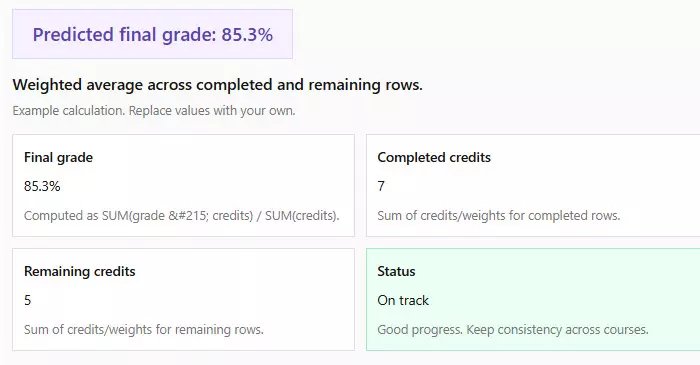
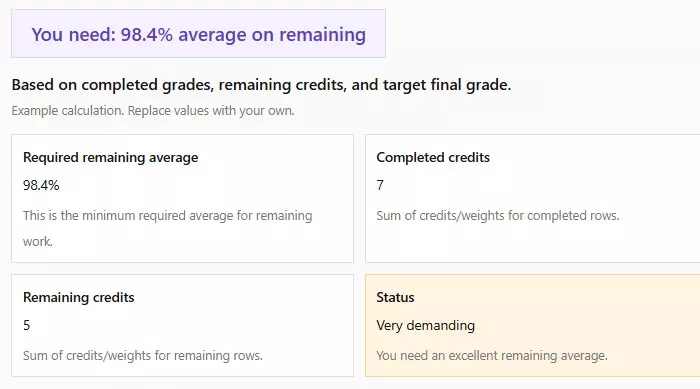
You enter grades and credits for completed courses, then add remaining courses with expected grades. The calculator combines all rows into a single weighted result.
- Completed rows use your actual grades.
- Remaining rows use expected or planned grades.
- All credits are summed and weighted equally in the formula.
| Course type | Grade used | Included in calculation |
|---|---|---|
| Completed course | Final grade | Yes |
| Planned course | Expected grade | Yes |
This mode is ideal for planning scenarios, such as testing how improving one subject or adding a high-credit course can raise your overall result.
Required average for remaining
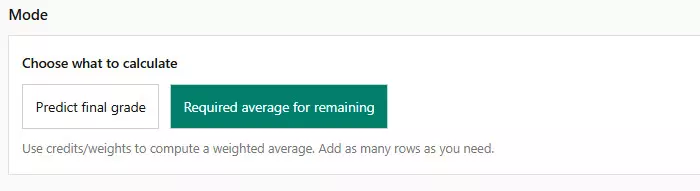
This mode answers a different question: “What average do I need on remaining courses to reach a target grade?”
Instead of estimating a final grade, you set a target final percentage. The calculator then determines the minimum average required on all remaining credits.
In this mode:
- Completed grades and credits are fully counted.
- Remaining grades are ignored.
- Only remaining credits are used to compute the required average.
| Input | Used in calculation |
|---|---|
| Completed grades | Yes |
| Completed credits | Yes |
| Remaining grades | No |
| Remaining credits | Yes |
If the required average exceeds 100%, the calculator clearly indicates that the target is mathematically unreachable with the remaining credits.
Weighted average explained
A weighted average is used when not all grades have the same importance. Courses with more credits have a stronger impact on the final result than courses with fewer credits.
Instead of adding grades and dividing by their count, the calculator multiplies each grade by its credit value, sums all points, and then divides by total credits.
The general formula looks like this:
Weighted average = SUM(grade × credits) ÷ SUM(credits)
| Course | Grade (%) | Credits | Grade × Credits |
|---|---|---|---|
| Math | 90 | 4 | 360 |
| History | 80 | 2 | 160 |
| Total | – | 6 | 520 |
In this example, the final weighted grade is 520 ÷ 6 = 86.7%. This approach reflects real academic grading systems much more accurately than a simple average.
Credits and weights
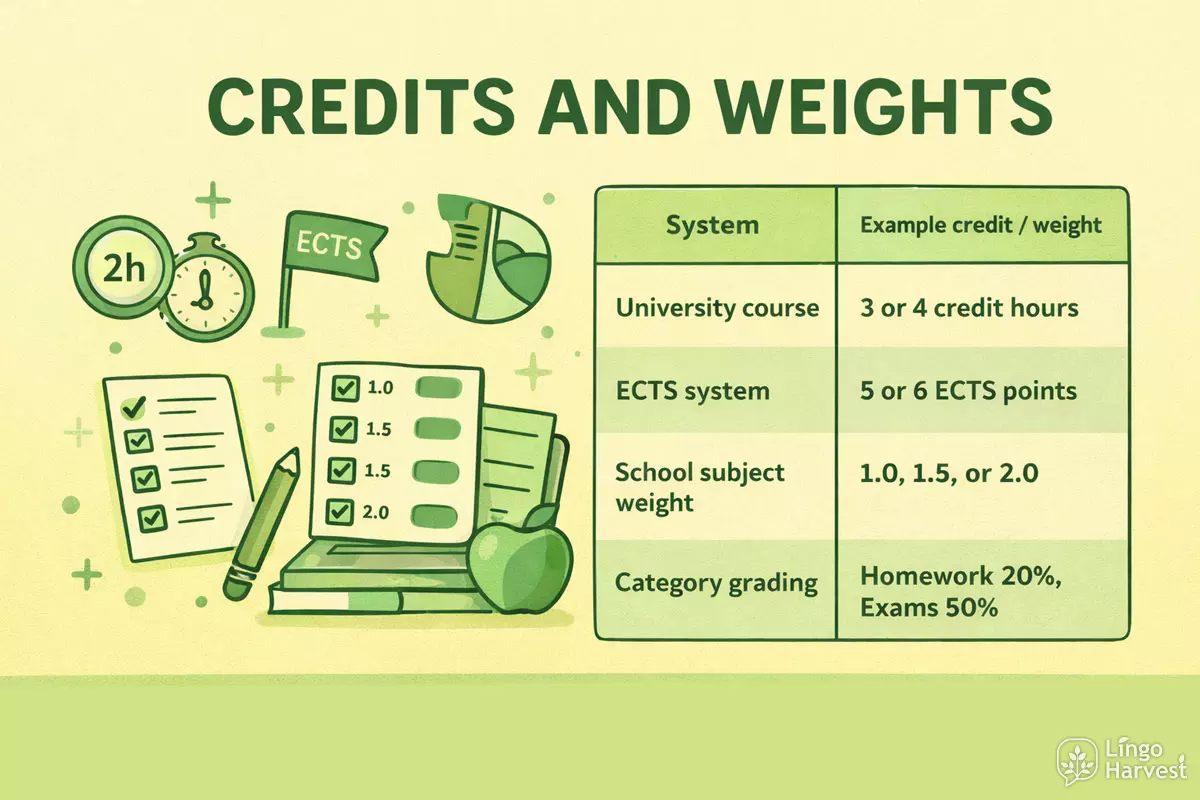
Credits or weights represent how important each course or category is within the overall grade calculation.
Depending on your system, credits may mean:
- Credit hours in college or university courses
- ECTS points
- Percentage weights for grading categories
- Custom importance values set by your institution
| System | Example credit / weight |
|---|---|
| University course | 3 or 4 credit hours |
| ECTS system | 5 or 6 ECTS points |
| School subject weight | 1.0, 1.5, or 2.0 |
| Category grading | Homework 20%, Exams 50% |
Higher credits mean a stronger influence on the final grade. For accurate results, always enter credits exactly as defined by your grading system.
FAQ
- What grading systems does this calculator support?
The calculator works with any system that uses percentage-based grades and credits or weights. This includes most school, college, and university grading models, as well as custom category-based grading.
- Can I use this calculator for yearly grades?
Yes. You can treat each semester or subject as a separate row and assign the appropriate credits. The final result will represent your overall yearly grade.
- What is the difference between Predict mode and Required mode?
Predict mode calculates your final grade based on entered and expected results. Required mode calculates the minimum average you need on remaining courses to reach a target final grade.
- Do remaining grades matter in Required mode?
No. In Required mode, only completed grades and all credits are used. Remaining grade fields are ignored because the calculator computes a single required average for all remaining work.
- What happens if the required average is above 100%?
If the calculated required average exceeds 100%, the target grade is mathematically unreachable with the remaining credits. The calculator clearly indicates this situation.
- Can I leave the course name field empty?
Yes. Course names are optional and are only used for clarity. Leaving them empty does not affect the calculation.
- How precise are the results?
Grades can be entered with decimal values, and the calculator rounds results to one decimal place. This level of precision is suitable for most academic systems.
- What should I enter as credits or weights?
Enter the exact credit value used by your institution, such as credit hours, ECTS points, or category weights. Higher values mean a stronger impact on the final grade.
- Can I use this for category-based grading?
Yes. You can represent categories like exams, homework, or projects as rows and use weights instead of course credits.
- Does the calculator work automatically?
Yes. Results update automatically as you change grades or credits. There is no need to press a calculate button once valid values are entered.
- Is this calculator suitable for GPA calculations?
This calculator works with percentage-based grading. If your GPA is derived from percentages, you can use it indirectly, but it does not convert grades to GPA scale values.
- Can I add or remove rows freely?
Yes. You can add as many rows as needed and remove any row at any time. The calculator recalculates instantly after each change.