Pronunciation Difficulty Calculator – Read Aloud Score (0–100)

 This calculator evaluates how difficult an English text is to pronounce aloud. It analyzes syllable structure, stress patterns, consonant clusters, and complex sounds to produce a clear 0–100 read aloud score. Ideal for learners, teachers, and content creators who want to assess spoken clarity and pronunciation load.
What This Calculator Does
The Read Aloud Pronunciation Difficulty Calculator estimates how hard an English text will be to pronounce out loud. It produces a single 0–100 Read Aloud Score that reflects pronunciation load — how many “mouth-hard” features your text contains, such as long words, complex sound patterns, and dense clusters of difficult segments.
This is useful when you want to:
- choose a passage for speaking practice at the right difficulty level
- simplify a script for clearer pronunciation (presentations, videos, lessons)
- spot words that may slow you down while reading
- compare two drafts and pick the one that will sound smoother
The calculator is designed for typical learners and speakers — it is not a perfect “accent judge.” Instead, it gives a practical difficulty signal that correlates with the kinds of words and sound patterns that commonly cause stumbles during read-aloud practice.
| What you enter | What you get back |
|---|---|
| Any English text (a sentence, paragraph, or full script) | Read Aloud Score (0–100) + difficulty label (Very easy → Very hard) |
| Mixed vocabulary (common + advanced words) | Hardest Words list (top 15) with per-word scores and counts |
| Short or long passages | Stable scoring (short texts may be slightly adjusted to reduce randomness) |
| Everyday writing or academic content | Extra sensitivity to long, multi-syllable words and dense “hard” vocabulary |
If you are preparing a read-aloud task, a speech, a voiceover, or a lesson script, the score helps you estimate whether the text will feel smooth, manageable, or pronunciation-heavy before you start practicing.
How the 0–100 Read Aloud Score Works
The calculator builds a difficulty estimate by scoring each word, then combining those word scores into a single result for the full text. Internally, it looks for pronunciation-relevant signals (syllables, stress, clusters, and “tricky” patterns), averages them across the text, and scales the result into a 0–100 score.
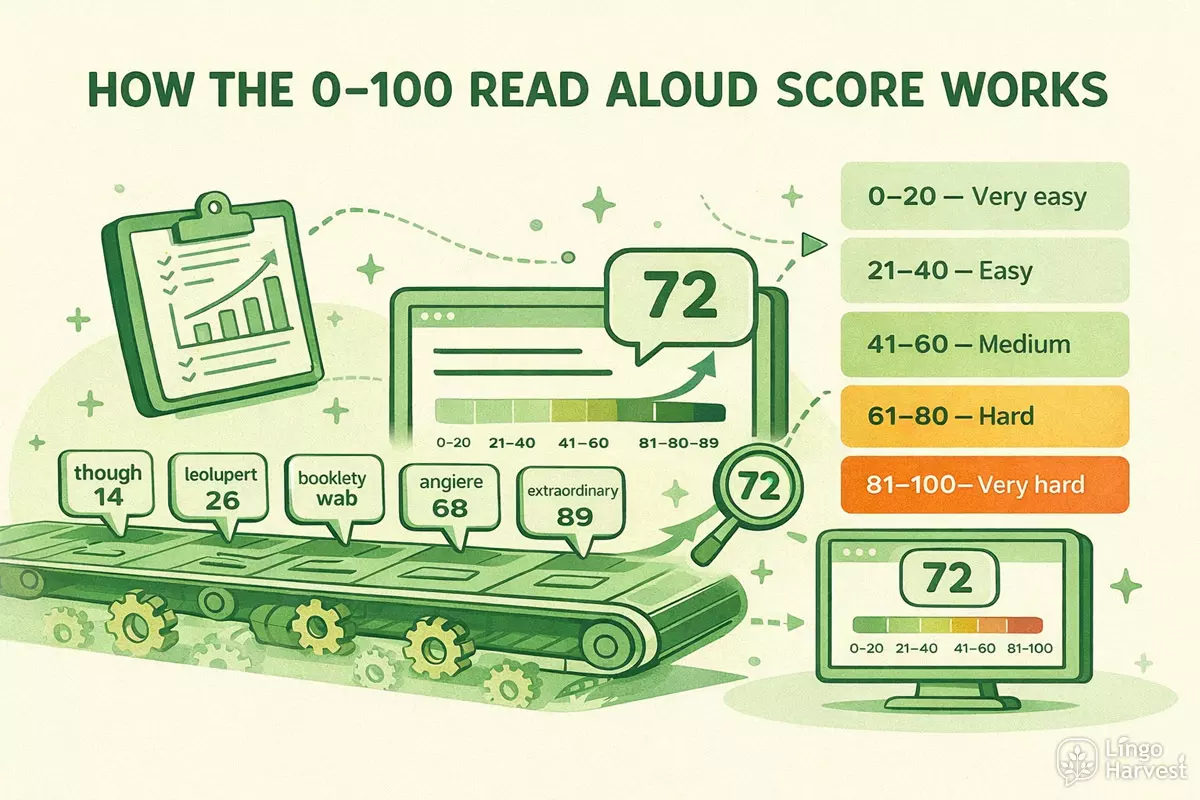
The score bands are:
- 0–20 — Very easy
- 21–40 — Easy
- 41–60 — Medium
- 61–80 — Hard
- 81–100 — Very hard
In general, your score goes up when your text contains more of the following:
- longer words (more letters and more syllables)
- complex stress patterns (especially stress that occurs later in the word)
- heavy consonant clustering (hard to articulate quickly and clearly)
- words with “tricky” spelling-to-sound patterns (handled via fallback heuristics when needed)
| Score range | What it usually feels like when reading aloud | Typical use case |
|---|---|---|
| 0–20 (Very easy) | Mostly smooth, common words, minimal stumbling | Warm-ups, beginner practice, quick read-aloud drills |
| 21–40 (Easy) | Occasional hard words, but overall comfortable | General speaking practice, everyday scripts |
| 41–60 (Medium) | Noticeable pronunciation load, slower pace needed | Intermediate lessons, presentations with some advanced vocabulary |
| 61–80 (Hard) | Frequent difficult words and sound patterns | Academic or technical content, fast-paced voiceovers |
| 81–100 (Very hard) | High stumble risk, intense articulation and stress complexity | Dense academic text, challenging audition scripts, advanced drills |
Important: this is a pronunciation difficulty estimate, not a grammar score and not a vocabulary level test. A text can be grammatically simple but still score high if it contains many pronunciation-heavy words.
For best results, compare texts that serve the same purpose (two versions of the same script, two reading passages of similar length). The relative difference between scores is often more actionable than the exact number.
How to Use the Calculator
The calculator is intentionally simple to use. You paste your text, run the analysis, and immediately receive a pronunciation-focused difficulty score. No setup, no configuration, and no prior phonetics knowledge is required.
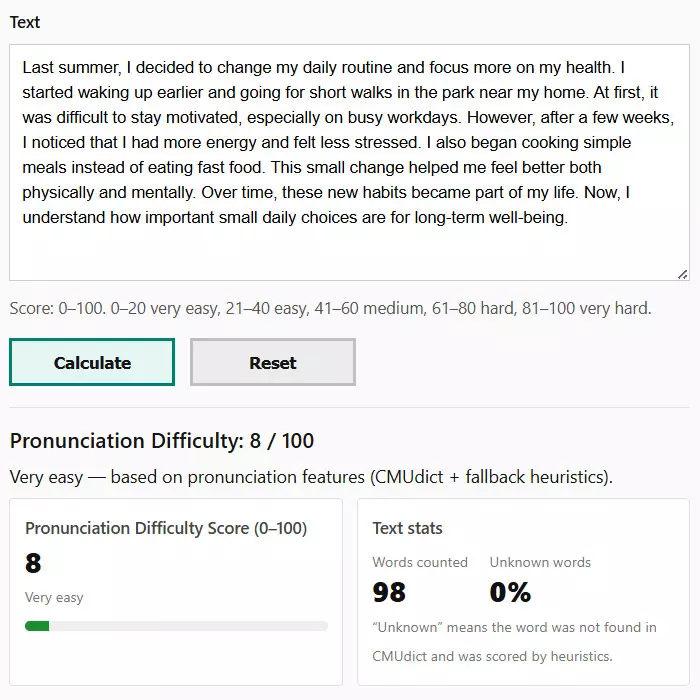
Basic workflow:
- Paste any English text into the input field.
- Click Calculate.
- Review the overall Read Aloud Score, difficulty label, and supporting details.
The tool works with short passages, full paragraphs, scripts, and longer reading samples. Very short texts are slightly adjusted internally to avoid unstable scoring.
| Input type | Recommended length | Why it works best |
|---|---|---|
| Single sentence | 10–20 words | Quick difficulty check for short prompts or drills |
| Paragraph | 40–150 words | Balanced scoring with stable pronunciation signals |
| Script or lesson text | 150+ words | Best overall accuracy and word distribution |
After calculation, focus on two outputs:
- The 0–100 score — overall pronunciation load of the text
- The Hardest Words list — specific words most likely to cause hesitation
This makes the calculator especially useful for iterative editing. You can revise a text, re-run the score, and immediately see whether pronunciation difficulty has improved.
What Pronunciation Features Are Analyzed
The calculator evaluates pronunciation difficulty by combining multiple word-level signals. Each word is scored individually, then those scores are aggregated into a final Read Aloud Score.
The analysis focuses on features that directly affect articulation effort and fluency:
| Feature | What is measured | Why it increases difficulty |
|---|---|---|
| Syllable count | Number of syllables in each word | More syllables require more precise timing and breath control |
| Stress patterns | Primary and secondary stress placement | Late or multiple stresses increase cognitive and articulatory load |
| Consonant clusters | Longest run of adjacent consonants | Dense clusters slow down articulation and increase error risk |
| Complex phonemes | Sounds like TH, SH, CH, NG, R, L | These require finer tongue and mouth positioning |
| Word length | Total number of letters | Longer words tend to combine multiple difficulty factors |
The calculator also adapts when a word is not found in its phonetic dictionary. In those cases, it switches to structured fallback heuristics that estimate difficulty based on spelling patterns, syllable structure, and morphology.
This hybrid approach ensures that both common words and rare or specialized terms still contribute meaningfully to the final score.
Phonetic Dictionary and Fallback Heuristics
The calculator relies on a hybrid scoring model that combines a phonetic dictionary with structured fallback heuristics. This approach allows it to analyze both common words and rare or specialized vocabulary without breaking the scoring logic.
When a word is found in the phonetic dictionary, the calculator uses detailed pronunciation data such as syllable count, stress placement, and phoneme structure. When a word is not found, the system switches to a heuristic model that estimates pronunciation difficulty based on spelling and morphology.
| Word type | Analysis method | What is evaluated |
|---|---|---|
| Common dictionary words | Phonetic dictionary lookup | Syllables, stress patterns, phoneme clusters, complex sounds |
| Rare or technical words | Fallback heuristics | Syllable estimation, letter patterns, consonant density, word length |
| New or invented terms | Heuristic approximation | Pronunciation load based on likely articulation difficulty |
Fallback scoring is intentionally conservative. Unknown words are not treated as errors, but they do increase difficulty slightly because unfamiliar or irregular spelling often slows down real-world reading aloud.
This design makes the calculator reliable for modern texts that include brand names, scientific terminology, or emerging vocabulary.
Hardest Words Analysis (Top 15)
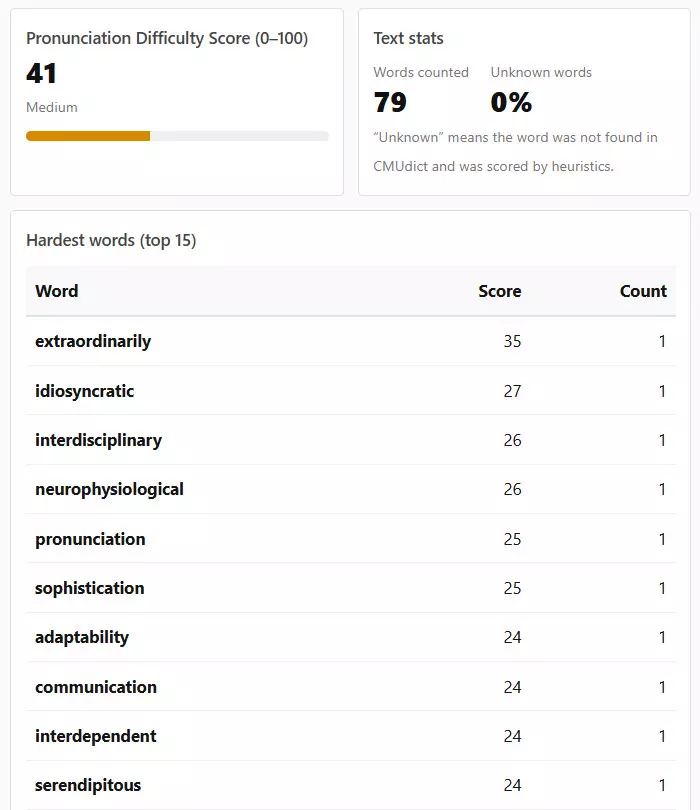
In addition to the overall score, the calculator highlights the 15 most pronunciation-heavy words in the text. These words contribute the most to the final Read Aloud Score and are the most likely points of hesitation during spoken delivery.
Each word in the list includes:
- its individual pronunciation difficulty score
- how many times it appears in the text
- a marker if the word was scored using fallback heuristics
| Column | Meaning |
|---|---|
| Word | The pronunciation-heavy term detected in your text |
| Score | Relative difficulty of pronouncing this word in isolation |
| Count | How often the word appears (repetition increases load) |
| Unknown label | Indicates heuristic-based scoring rather than dictionary lookup |
This list is especially useful for editing and practice. By simplifying, replacing, or rehearsing these words, you can often reduce the overall pronunciation difficulty of a text without changing its meaning.
For spoken presentations or recordings, reviewing just the top 5–10 hardest words often delivers the biggest improvement in fluency.
Who This Calculator Is For
The Read Aloud Pronunciation Difficulty Calculator is designed for anyone who works with spoken English and wants a clear, numeric signal of how hard a text will be to pronounce aloud.
This tool is especially useful for:
- English learners who want to choose reading material that matches their speaking ability
- Teachers and tutors selecting texts for read-aloud exercises or oral exams
- Content creators preparing scripts for videos, podcasts, or voiceovers
- Public speakers refining presentations to reduce stumble points
- Editors and writers comparing drafts for spoken clarity, not just readability
The calculator does not assume a specific accent or speaking style. Instead, it focuses on general articulation load — how much effort the mouth, tongue, and timing typically require when reading a text aloud at a natural pace.
If your goal is smoother delivery, fewer pauses, and better flow during spoken English, this score provides a fast and practical reference.
FAQ — Questions and Answers
- Is this a pronunciation accuracy test?
No. The calculator does not judge whether pronunciation is correct or incorrect. It estimates how difficult a text is to pronounce aloud based on phonetic and structural features.
- Does a higher score mean the text is advanced English?
Not necessarily. A text can be grammatically simple but still score high if it contains long words, complex sound patterns, or dense pronunciation challenges.
- What does the 0–100 score represent?
The score represents relative pronunciation load. Higher numbers indicate more articulation effort, higher stumble risk, and slower read-aloud pacing for most speakers.
- Why does the calculator highlight “unknown” words?
Some words are not found in the phonetic dictionary and are scored using fallback heuristics. These words are flagged to show that their difficulty is estimated rather than dictionary-based.
- Will repeating a difficult word affect the score?
Yes. Repetition increases pronunciation load because the same difficult articulation is required multiple times during reading.
- Does text length affect the result?
Longer texts usually produce more stable scores. Very short texts may receive small internal adjustments to avoid random spikes.
- Can I use this to compare two versions of the same text?
Yes. Comparing scores between drafts is one of the best use cases. Even small reductions in score often translate to noticeably smoother delivery.
- Is this tool suitable for native speakers?
Yes. Native speakers can use it to identify articulation-heavy passages, especially for fast-paced speaking, recording, or performance contexts.
- Does the calculator account for accent differences?
No. The score is accent-neutral and does not model regional pronunciation variants. It focuses on general pronunciation complexity common across accents.