Check English Text for Passive Voice Online

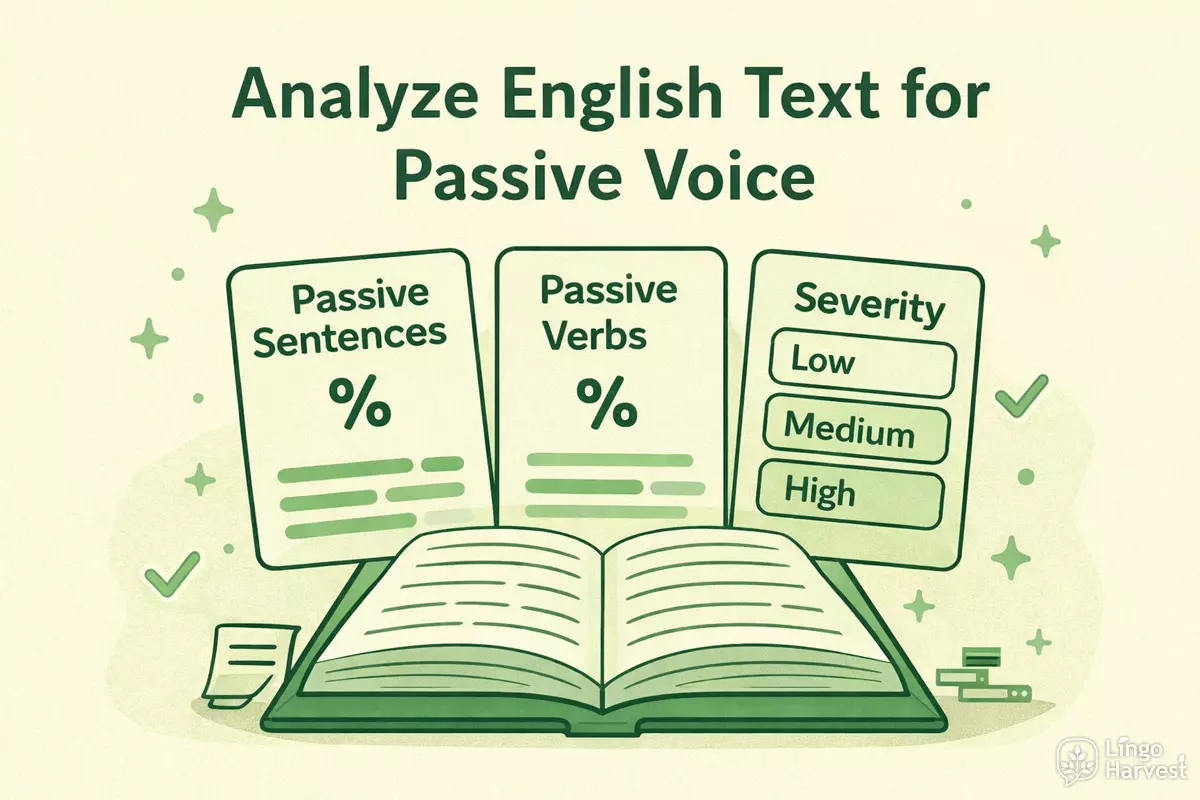 Use our Passive Voice Calculator to analyze any English text. It identifies passive sentences and verb groups, calculates ratios, and offers style tips. Perfect for students, writers, and teachers to improve clarity, readability, and ensure proper use of passive constructions in essays, reports, or academic writing.
What is the Passive Voice Calculator?
The Passive Voice Calculator is an online tool that analyzes any English text and estimates how much passive voice you use. It scans your sentences, detects patterns such as was done, is built, got fired, and more complex chains like is expected to be completed or was not being updated, and then calculates several ratios that describe your writing style.
Unlike a simple yes/no checker, this calculator looks at your text from several angles:
- Text size — total number of words and sentences in the sample.
- Passive sentences — how many sentences contain at least one passive construction.
- Passive verb groups — the total count of passive verb chains in the text.
- Verb-group ratio — how many of all verb-like groups are passive.
- Severity level — a quick label (Low, Medium, High, Very high) that shows how dominant passive voice is.
The tool uses pattern-based heuristics rather than full linguistic parsing. This means it focuses on typical combinations of auxiliary verbs and past participles instead of trying to understand the full meaning of every sentence. As a result, it works very fast and is suitable for quick checks of essays, reports, academic articles, or business correspondence.
The calculator is especially useful if you:
- Write academic papers and want to keep a balanced mix of passive and active voice.
- Prepare reports, manuals, or technical documentation and need clear style feedback.
- Teach English and want a simple tool to demonstrate passive constructions to students.
- Edit your own drafts and want objective numbers instead of guessing “too much” or “too little” passive voice.
Keep in mind that passive voice is not “wrong” by default. In many academic and technical texts, it is perfectly appropriate. The main aim of the Passive Voice Calculator is to make your choices conscious: you see where passive voice appears and decide whether it helps or harms clarity.
How to Use the Calculator
Using the Passive Voice Calculator is straightforward. Follow the steps below to get clear, interpretable results from your text.
1. Choose the analysis options
In the Options block, you can fine-tune how the detector behaves before you start the analysis:
- Academic mode (softer suggestions) — keeps the feedback less aggressive, acknowledging that passive voice is often acceptable in academic and scientific writing.
- Include get-passives — counts forms like got fired, get promoted, which are common in informal and spoken English.
- Show sentence breakdown — enables a detailed table where each sentence gets its own row, with word counts and passive groups.
Before choosing options, paste your text (up to 10,000 words) into the main textarea. The tool works best with continuous English prose: academic writing, reports, articles, blog posts, or formal emails.
2. Click “Analyze passive ratio”
After you have set the options, press the “Analyze passive ratio” button. The tool will:
- Split your text into sentences.
- Tokenize each sentence and detect verb-like groups.
- Search for passive patterns such as was done, is being tested, to be completed or got fired.
- Count how many sentences and verb groups are passive.
If the text is too long and exceeds the limit of 10,000 words, you will see an error message. In this case, simply shorten the sample and run the analysis again.
3. Review the summary and detailed stats
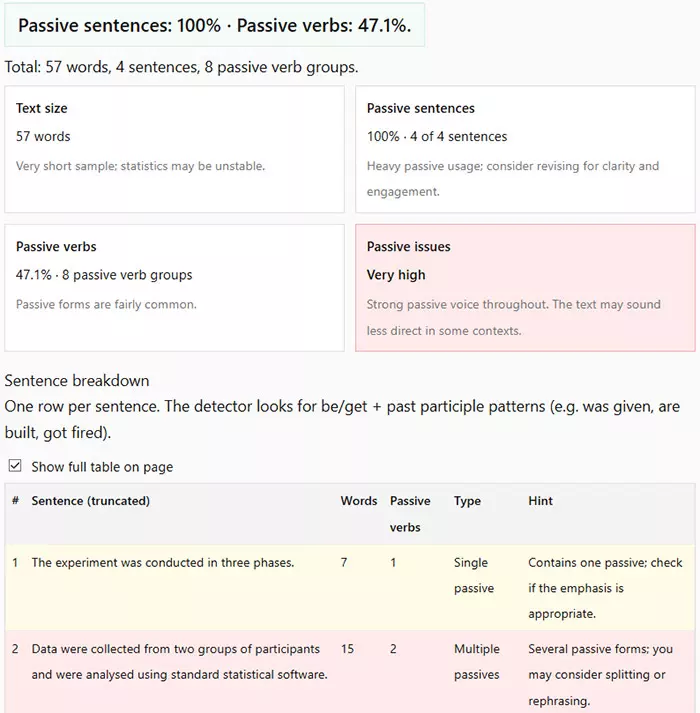
Once the analysis is complete, the results section opens with a compact summary and more detailed statistics:
- Summary line — shows the percentage of passive sentences and passive verbs in one line.
- Text size card — displays total words and a short note about how reliable the statistics are.
- Passive sentences card — indicates how many sentences contain passive voice and how frequent it is overall.
- Passive verbs card — shows how many passive verb groups were found compared to all verb-like groups.
- Passive issues card — gives an overall severity level (Low, Medium, High, Very high) with a short recommendation.
Use this block for quick decisions: if passive voice is rare, you may leave the text as it is. If the level is high or very high, it is a signal to revise some sentences and shift the focus back to the agent and clear actions.
4. Explore the sentence breakdown (optional)
If you enabled the sentence breakdown option, scroll down to the table. Each row represents a single sentence and contains:
- Its number in the text.
- A truncated version of the sentence for quick scanning.
- The number of words in the sentence.
- The number of passive verb groups the tool detected.
- A type label (None, Single passive, Multiple passives).
- A short hint explaining whether it might be worth revising the sentence.
You can also toggle the full-table view to remove the scroll limit. This is convenient for working with long academic texts or detailed reports where you want to see many sentences on the page at once.
| Step | What you do | What the tool shows |
|---|---|---|
| 1. Choose options | Set academic mode, get-passives, and sentence breakdown. | Defines how passive patterns are detected and how feedback is phrased. |
| 2. Analyze text | Click “Analyze passive ratio”. | Calculates passive ratios, severity level, and per-sentence classifications. |
| 3. Read summary | Scan the top line and the result cards. | Gives a quick overview of how dominant passive voice is in your text. |
| 4. Check breakdown | Scroll through the sentence table and hints. | Shows which sentences contain single or multiple passive constructions. |
Key Features and Functions
The Passive Voice Calculator offers a wide range of analytical functions designed to give you a detailed, multi-layered view of how passive voice appears in your writing. Instead of checking only simple constructions, the tool goes deeper and identifies patterns that traditional grammar checkers often miss.
Advanced passive detection engine
The calculator recognizes more than just obvious forms like was done or is built. It can detect:
- Get-passives such as got fired, get promoted.
- Infinitive passives like to be completed.
- Modal passives (will be approved, should be analysed).
- Continuous passives (was being checked, is being recorded).
- Negative passives (was not being updated).
- Complex passive chains such as is expected to be completed, was scheduled to be implemented.
Thanks to this wide coverage, the tool produces realistic statistics that match how English academic and technical writing actually works.
Detailed sentence-level reporting
Every sentence is classified into one of three categories:
| Category | Description |
|---|---|
| None | No passive groups detected; sentence prefers active voice. |
| Single passive | Contains one passive structure; usually acceptable in academic writing. |
| Multiple passives | Contains two or more passive structures; may need restructuring for clarity. |
Below the summary, you also find interpretation hints that explain how the passive voice influences reader perception: whether the text feels vague, indirect, formal, or overly impersonal.
Interactive layout and display controls
The calculator offers a convenient interface for exploring results:
- Expandable table mode — remove the scroll limit to view your full sentence list at once.
- Switchable analysis modes — academic users can activate softer thresholds.
- Live example insertion — one click loads a realistic sample text for demonstration purposes.
Overall, the feature set is designed for everyday use by writers, students, editors, and teachers, allowing fast diagnostic checks and efficient rewriting based on the findings.
Advantages of Using the Tool

The Passive Voice Calculator is not just an analyzer — it is a practical writing improvement system. Whether you are writing an essay, editing research papers, preparing technical documentation, or improving your business reports, this tool gives measurable stylistic insight.
Why passive voice matters
Passive voice is a natural and useful part of English, but when it dominates, writing becomes:
- Less direct and harder to follow.
- More abstract and emotionally distant.
- Wordy and structurally complex.
Top benefits you get
- Immediate clarity: you instantly see where passive voice appears and how often.
- Better editing decisions: instead of guessing, you rely on real numbers.
- Academic alignment: helps maintain tone consistency in essays and research papers.
- Improved readability: monitor how sentence structure affects flow and engagement.
- Professional output: ideal for editors and content creators who need objective diagnostics.
Many users underestimate how strongly passive voice affects a text’s identity. This calculator exposes even subtle patterns, helping you consciously balance passive and active constructions.
What the Calculator Shows
After running the analysis, the calculator delivers a structured report that highlights the most important stylistic data. Instead of a single “score”, you receive multiple measurements that help you understand how passive voice is distributed across your text.
Overall text statistics
- Total word count — helps you judge whether the sample is large enough for reliable conclusions.
- Total number of sentences — used to calculate sentence-level passive percentage.
- Number of passive sentences — how many sentences contain passive structures.
- Number of passive verb groups — total passive constructions in the whole text.
- Verb-group ratio — shows the percentage of all verb-like forms that are passive.
These metrics are especially useful for academic research, editing tasks, linguistic studies, and stylistic assessment of professional documents.
Severity level interpretation
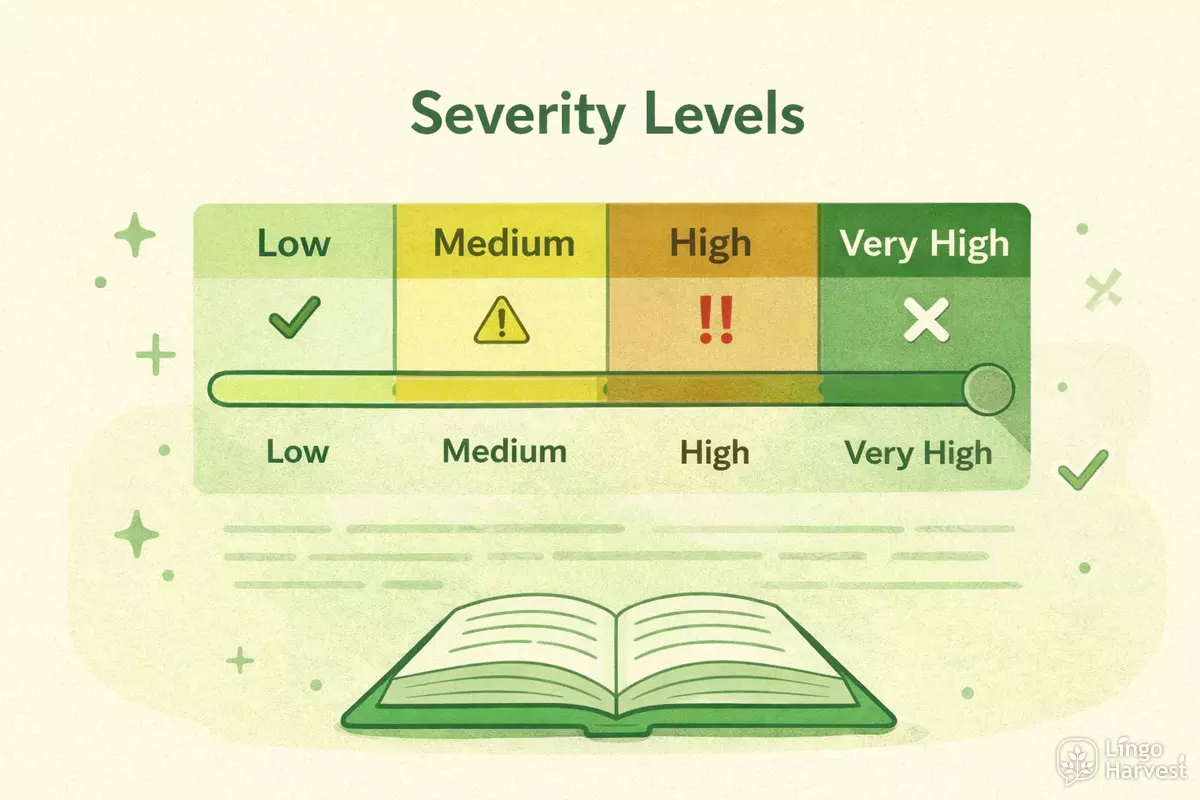
Alongside the numeric results, the tool assigns a severity level:
| Severity | Meaning |
|---|---|
| Low | Passive appears occasionally — acceptable in most contexts. |
| Medium | Passive is clearly visible — check whether all uses are necessary. |
| High | Passive dominates the style — important sentences may be unclear. |
| Very high | Passive voice overwhelms the text — major rewriting recommended. |
This classification helps you make quick decisions: whether to improve structure, rewrite multiple sentences, or simply keep the text as it is if the ratio aligns with academic writing standards.
Sentence breakdown panel
The calculator displays an expandable sentence table containing:
- A truncated preview for quick scanning.
- Total word count per sentence.
- Number of passive verbs in each sentence.
- A label: None, Single passive, or Multiple passives.
- A hint explaining whether rewriting may help clarity.
This section is especially valuable for editing long essays or reports, where the goal is not only to detect passive voice, but also to decide which sentences are worth reworking.
Who Can Benefit from the Calculator
The Passive Voice Calculator is designed for a broad audience and fits both professional and educational needs. Whether you are improving your writing or evaluating someone else’s work, the tool gives insight that is hard to obtain manually.
Students and academic writers
University students, researchers, thesis writers, and PhD candidates often struggle to maintain a balance between formal tone and clarity. The calculator helps them:
- check whether passive voice is overused in research writing;
- maintain stylistic consistency across long projects;
- prepare cleaner drafts before submission.
Teachers and language professionals
English teachers and tutors can use the tool to demonstrate passive voice structure, show sentence transformation examples, and guide students toward better stylistic decisions.
Writers, editors, and content creators
Journalists, editors, bloggers, and technical writers benefit from fast passive detection when polishing articles and reports. It allows them to find unclear sentences, improve flow, and strengthen narrative impact.
Business and technical documentation authors
Manuals, contracts, legal summaries, SOP documents, and engineering reports frequently rely on passive constructions. This tool helps authors adjust tone and avoid overly impersonal language.
Tips for Effective Use
Although the Passive Voice Calculator delivers detailed structural data, the usefulness of the results depends on how you interpret them. Below are practical recommendations to help you get the most value from every analysis.
Don’t aim for “zero passive”
Passive voice is a natural part of English and often the best stylistic choice. Academic texts, scientific writing, and neutral reporting depend on passive constructions to maintain objectivity and distance from the author. Instead of chasing a number like 0%, focus on:
- whether passive structures serve a logical purpose;
- whether the text becomes clearer or more confusing because of them;
- how passive balance supports your intended tone and audience.
Use the sentence table to locate real issues
The table is more than a list: it visually highlights problem sentences. Long chains of passive verbs in a single sentence can weaken clarity dramatically. Look for rows marked “Multiple passives” and consider rewriting them into shorter active sentences.
Enable academic mode when appropriate
Academic mode softens feedback and adjusts thresholds because journals, dissertations, and research papers naturally require more passive phrasing. If you write scientific text, this setting will prevent excessive “false alarms”.
Compare multiple drafts
Paste an early draft, store the result numbers, then analyze a revised version. Watching the passive ratio decrease or stabilize gives you measurable proof of improvement — useful for professional editing, classroom training, or thesis supervision.
Don’t misunderstand passive negatives
Some passive forms look similar to adjectives (e.g. interested, known, tired). The tool filters most false positives, but human judgement is always stronger than automation. If a sentence looks correct stylistically, you don’t have to rewrite it only because it contains the word “was”.
Remember: this calculator does not “grade” your writing. It exposes structure so that you decide how to shape the final style.
Frequently Asked Questions (FAQ)
1. Is passive voice always wrong?
Not at all. Passive voice is essential in academic texts, science, legal documentation, and objective reporting. Problems appear only when it dominates to the point that meaning becomes unclear or impersonal.
2. Can this tool replace a grammar checker?
No — it is not a replacement but a specialized analytical supplement. Traditional grammar checkers fix surface mistakes, while this tool focuses on structural style analysis.
3. What types of texts does the calculator work best with?
Essays, research papers, web articles, business reports, manuals, and technical writing. Creative writing also works, but the data may be less meaningful due to unusual sentence structure.
4. Does punctuation or formatting affect detection?
Minor formatting differences do not matter. However, heavily fragmented text or bullet-point lists may produce unreliable sentence boundaries.
5. How accurate is the passive recognition?
The tool uses a pattern engine rather than full linguistic parsing, so results are approximate, but far more precise than simple keyword scanning. It recognises modal, continuous, infinitive, and get-passive constructions that most tools ignore.
6. Will the calculator fix my text?
The tool does not rewrite automatically. It identifies where problems appear and leaves stylistic decisions to the author — you stay in full creative control.