Question Types Analyzer for English Texts

 Question Types Analyzer helps you analyze English texts and automatically detect questions. The tool classifies each sentence by question type — Yes/No, Wh-questions, tag, choice, indirect, negative, echo, and declarative. Ideal for language learners, teachers, and content analysis.
Find and Analyze Question Types in English Texts
What this calculator does
Question Types Analyzer scans your English text, finds sentences that function as questions, and then classifies each detected question by type. It is designed for fast, practical analysis — you paste text, click Analyze questions, and get both summary statistics and a sentence-by-sentence table.
This tool is useful when you want to:
- Check how “question-heavy” a text is (question density).
- See which question patterns dominate (Yes/No vs Wh, etc.).
- Improve variety in dialogues, lessons, quizzes, and scripts.
- Spot punctuation issues (very long sentences, missing question marks).
What it detects
The analyzer focuses on common real-world question forms and groups them into categories that are easy to interpret. It can detect:
- Yes/No questions (auxiliary-first patterns)
- Wh-questions (what, where, when, why, who, how…)
- Tag questions (isn’t it?, right?, okay?)
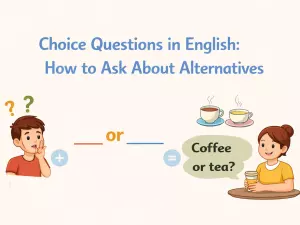
- Choice questions (A or B?)
- Indirect questions (Can you tell me…, Do you know…)
- Negative questions (Don’t you…, Isn’t he…)
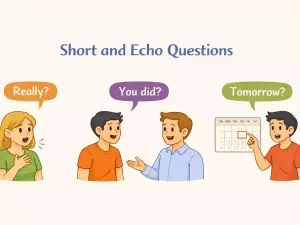
- Echo questions (You did what?)
- Declarative questions (question-like wording that doesn’t match other types)
Quick summary vs detailed table
You get two layers of output:
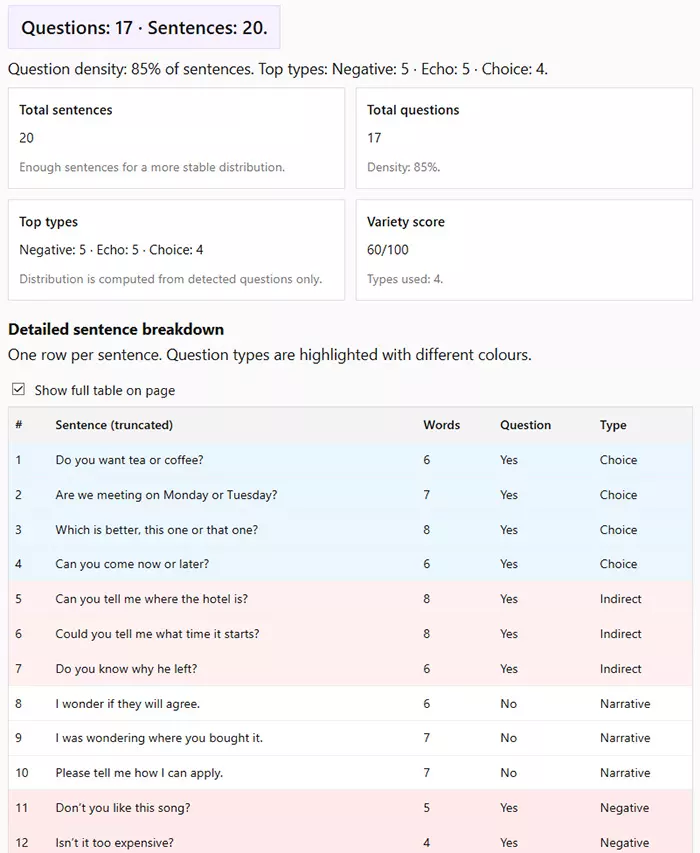
- Summary — total sentences, total questions, top types, and a variety score.
- Detailed table — each sentence (truncated), word count, whether it’s a question, its type, and flags (e.g., missing “?” detected by heuristics).
Key outputs at a glance
| Result block | What it shows | Why it matters |
|---|---|---|
| Total sentences | How many sentences the tool extracted from your text | Small samples can give unstable distributions |
| Total questions | How many sentences were classified as questions | Helps estimate how interrogative the text feels |
| Top types | The most frequent question categories (top 3) | Shows which patterns dominate your writing or dialogue |
| Variety score | 0–100 score based on how many different types appear | Useful for balancing exercises, scripts, and conversational tone |
| Detailed table | Per-sentence classification + word count + flags | Lets you audit specific lines and fix punctuation or style |
How questions are detected
The calculator works in two stages: it first splits your text into sentences, then decides whether each sentence is a question. This matters because English questions are not always marked with a question mark — especially in dialogues, informal writing, or quoted speech.
Stage 1 — Sentence splitting
The tool breaks the input into sentences using common end markers:
- Question mark (?)
- Exclamation (!)
- Period (.)
- Ellipsis (… and ...)
It also attempts to respect quotes, so that punctuation inside quotation marks does not accidentally split the sentence in the wrong place.
Stage 2 — “Is this a question?” decision
By default, the tool treats a sentence as a question when it contains a question mark. If you enable the option Detect questions even without “?” (heuristics), it also uses simple patterns to detect questions that are missing punctuation.
| Signal | Example | What the tool assumes |
|---|---|---|
| Question mark present | Are you ready? | Almost certainly a question |
| Starts with an auxiliary | Do you agree | Likely a Yes/No question even without “?” |
| Starts with a wh-word | Why did he leave | Likely a Wh-question even without “?” |
| Indirect question opener | Can you tell me where it is | Likely an Indirect question |
| Tag ending | It’s late, isn’t it | Likely a Tag question |
| Negative opener | Don’t you remember | Likely a Negative question |
About the “No ?” flag
If a sentence is detected as a question only via heuristics, the tool adds a No ? flag in the table. This is a helpful indicator that you may want to:
- Add a question mark for clarity
- Split the sentence if it is too long
- Check whether the line is actually a question or just looks like one
Limitations to keep in mind
This is a lightweight rules-based analyzer, so it can be confused by unusual punctuation or highly literary style. Results are most reliable when your text has:
- Clear sentence punctuation
- Standard question word order
- Minimal fragmentation (very short broken lines)
To get more stable stats, aim for at least 10–15 sentences in the input.
Question types and categories
Once a sentence is identified as a question, the calculator assigns it to a specific category. These categories are based on common grammatical patterns used in modern English and are meant to be practical rather than overly academic.
Main question categories

The analyzer distinguishes between the following core types:
| Question type | Typical structure | Example |
|---|---|---|
| Yes/No | Auxiliary verb + subject | Do you like coffee? |
| Wh | Wh-word at the beginning | Where are you going? |
| Tag | Statement + short tag | It’s cold today, isn’t it? |
| Choice | Alternative options with “or” | Do you want tea or coffee? |
| Indirect | Introductory phrase + embedded question | Can you tell me where she lives? |
| Negative | Negative auxiliary at the start | Don’t you agree? |
| Echo | Repetition for clarification | You said what? |
| Declarative | Statement-like form used as a question | You really think so? |
How overlapping cases are handled
Some questions could theoretically fit more than one category. The calculator resolves this by applying a fixed priority order. For example:
- Tag questions are detected before Yes/No questions.
- Indirect questions are detected before Choice questions.
- Negative questions are separated from standard Yes/No patterns.
This ensures that each sentence receives one clear label, making statistics easier to interpret.
Why category balance matters
Looking only at the total number of questions can be misleading. Two texts with the same number of questions may feel very different to a reader.
| Pattern | What it suggests | Typical use case |
|---|---|---|
| Mostly Yes/No | Closed, confirmation-driven interaction | Surveys, interviews, instructions |
| Many Wh-questions | Exploratory or explanatory tone | Lessons, tutoring, investigations |
| Frequent Tag questions | Conversational, informal style | Dialogues, scripts, spoken English |
| Mixed distribution | Balanced and natural interaction | Articles, podcasts, real conversations |
For this reason, the calculator also reports a variety score, which helps you see whether your text relies too heavily on one question type.
Detection options and settings
The calculator includes a few settings that control how aggressively it detects questions and how much detail you see in the output. These options are helpful because real English text is often messy: people omit punctuation, mix quotes, and write fragments.
Option 1 — Detect questions without a question mark
Detect questions even without “?” (heuristics) is enabled by default. When it is on, the tool can treat a sentence as a question even if the author forgot to add a question mark.
This is most useful for:
- Chat-style dialogues and scripts
- Notes, drafts, or student writing
- Quoted speech where punctuation is inconsistent
When a question is detected by heuristics, the sentence receives a No ? flag in the table so you can spot punctuation issues quickly.
Option 2 — Show detailed sentence breakdown
Show detailed sentence breakdown controls whether the calculator displays the per-sentence table. If you only need overall statistics (question count, density, top types), you can turn this off and keep the page compact.
Option 3 — Show full table on page
The table is displayed inside a scroll container by default to keep the page lightweight. If you enable Show full table on page, the scroll limit is removed and the full list of sentences becomes visible at once.
| Setting | What changes | When to use it |
|---|---|---|
| Detect questions without “?” | Uses patterns to detect questions that lack a question mark | Dialogues, messy punctuation, learner texts |
| Show detailed breakdown | Shows the sentence-by-sentence table | Editing, auditing, grammar teaching |
| Show full table on page | Removes scroll limit (shows all rows) | Short texts or when you want to copy the full table |
Practical recommendation
If your text is well-punctuated (articles, books, formal writing), you can turn off heuristics to reduce false positives. If the text is conversational (messages, scripts, transcripts), keep heuristics enabled and use the No ? flag to clean up punctuation.
How to read the results
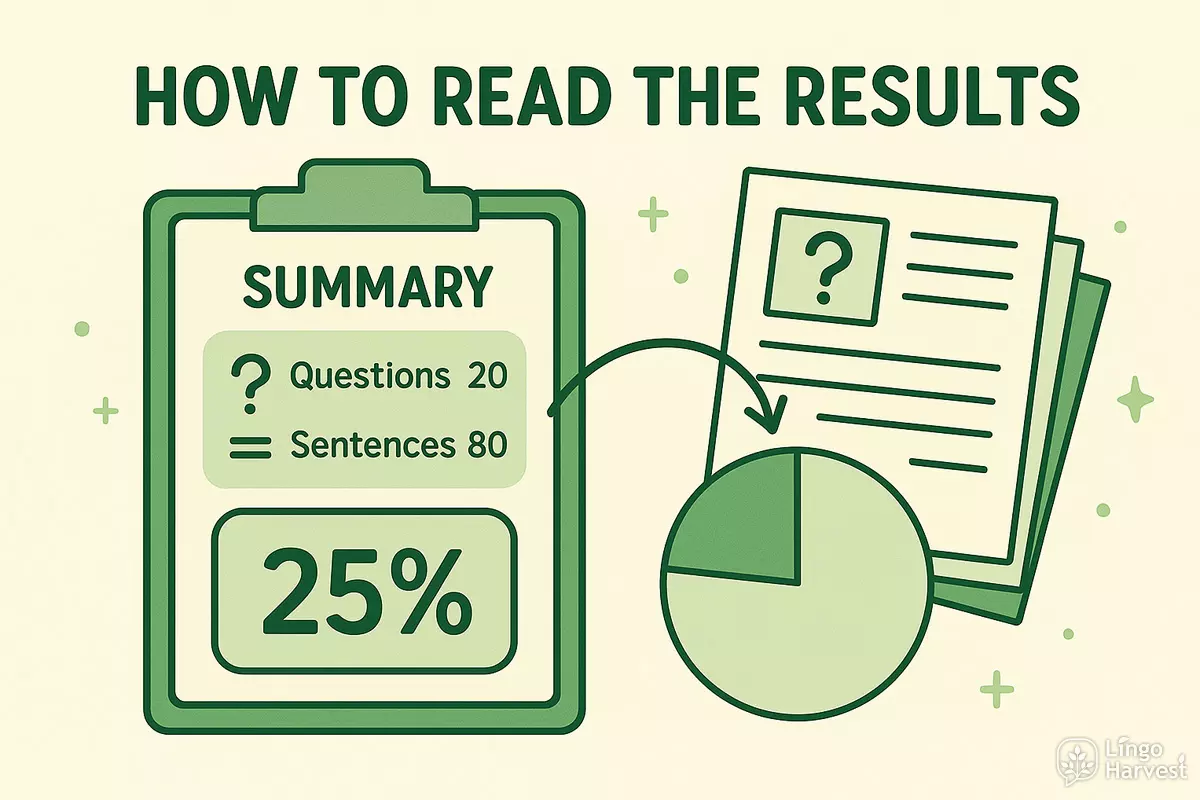
After analysis, the calculator displays a summary block and (optionally) a detailed table. The summary is meant for quick interpretation, while the table helps you verify individual sentences and catch edge cases.
Summary headline
The top line shows two core counts:
- Questions — how many sentences were detected as questions
- Sentences — how many sentences were extracted from your text
Below that, you see question density — the percentage of sentences that are questions. This number helps you understand the overall tone of the text.
Question density — what it means
Density is calculated as:
(Total questions ÷ Total sentences) × 100%
In practice:
- Low density often suggests informational or narrative writing.
- Medium density is common in explanations, teaching materials, and interviews.
- High density usually indicates dialogues, quizzes, or persuasive copy built around questions.
Top types
Top types lists the three most frequent question categories and their counts. This helps you see what patterns dominate your writing.
Example interpretation:
- If Yes/No dominates, the text may feel more “closed” and confirmation-driven.
- If Wh dominates, the text may feel more exploratory and explanation-driven.
- If Tag appears often, the text may feel more conversational and informal.
Variety score
The variety score is a simple 0–100 indicator of how many different question types appear in your text and whether one type dominates too strongly.
| Variety score | Typical interpretation | What you can do |
|---|---|---|
| 0–20 | Few or no questions, or one type only | Add Wh-questions or alternative patterns |
| 21–50 | Some variation, but still limited | Mix in tags, indirect questions, or choice forms |
| 51–80 | Good diversity for most texts | Keep the balance, check dominant type share |
| 81–100 | High variety and balanced distribution | Great for dialogues, teaching examples, and quizzes |
Warnings you may see
The tool can show a warning in two common cases:
- Small sample — very few sentences were detected, so the type distribution may be noisy.
- Very long sentences (45+ words) — this often suggests punctuation problems or run-on sentences, which can reduce classification accuracy.
If you see these warnings, try adding more text or cleaning punctuation (especially missing end marks) and run the analyzer again.
Detailed sentence table
The detailed table is the most precise part of the analyzer. It shows how each individual sentence was interpreted, making it easy to audit results, fix mistakes, and understand why a sentence was classified in a certain way.
Table columns explained
Each row corresponds to one detected sentence from your text.
| Column | Description | Why it’s useful |
|---|---|---|
| # | Sentence number in the analyzed text | Helps reference and discuss specific lines |
| Sentence (truncated) | The sentence text, shortened if very long | Keeps the table readable on small screens |
| Words | Word count for the sentence | Flags unusually long or short sentences |
| Question | Yes or No | Shows whether the sentence was treated as a question |
| Type | Detected question category | Main grammatical classification |
| Flags | Special markers (e.g., No ?) | Highlights heuristic detection and punctuation issues |
Colour coding
Question types are highlighted with different background colours to make scanning easier:
- Wh — light green
- Yes/No — light yellow
- Tag — light purple
- Choice — light blue
- Indirect — light red
- Echo — light orange
- Negative — pale red
- Declarative — neutral grey
How to use the table effectively
- Scan for rows with the No ? flag and fix missing question marks.
- Check sentences with 45+ words for punctuation or sentence breaks.
- Look for overused types (e.g., many Yes/No questions in a row).
- Use the table as a checklist when editing dialogues or exercises.
Copying and reviewing results
For short texts, you can enable Show full table on page and copy the entire table for external review. For longer texts, keep scrolling enabled to avoid overwhelming the page.
FAQ
1. Does the calculator understand meaning or context?
No. This tool is rule-based and focuses on surface grammatical patterns, not deep semantic meaning. It does not “understand” intent the way a human does, but it reliably detects common English question structures used in real texts.
2. Can it detect questions without a question mark?
Yes. If the Detect questions even without “?” option is enabled, the analyzer uses heuristics to detect questions based on word order, auxiliaries, wh-words, tag endings, and indirect question openers. Such cases are marked with a No ? flag.
3. Why are some statements classified as questions?
English sometimes uses declarative word order as a question, especially in spoken language:
- You really think so?
- You’re coming with us?
These are classified as Declarative questions. If punctuation is unclear, heuristics may also trigger this classification.
4. What text length works best?
The calculator works with any length, but results are more meaningful with at least 10–15 sentences. Very short texts can produce unstable distributions and low variety scores.
5. Is this tool suitable for learners and teachers?
Yes. It is especially useful for:
- Students checking their writing and punctuation
- Teachers analyzing exercises, dialogues, and tests
- Content creators balancing question styles in scripts
- Linguistic or stylistic text analysis
6. Can the results be wrong?
In edge cases — unusual punctuation, poetic style, heavy ellipsis, or fragmented sentences — classification may be imperfect. The detailed table is provided so you can always verify and interpret results manually.
7. Does the calculator store or send my text anywhere?
No. All analysis runs locally in your browser. The text you paste is not saved or transmitted.